


UniFi 5G Backup
UniFi 5G Backup
SKU:U5G
Sale Live Now. Limited promotional stock available — don’t miss out!
Out of stock — ETA 4 Nov 2026 — Pre-order
Couldn't load pickup availability
Australian Reseller | Australian Stock | Australian Warranty
Found it cheaper elsewhere? Let us know
Buying for your business? Earn Store Credits


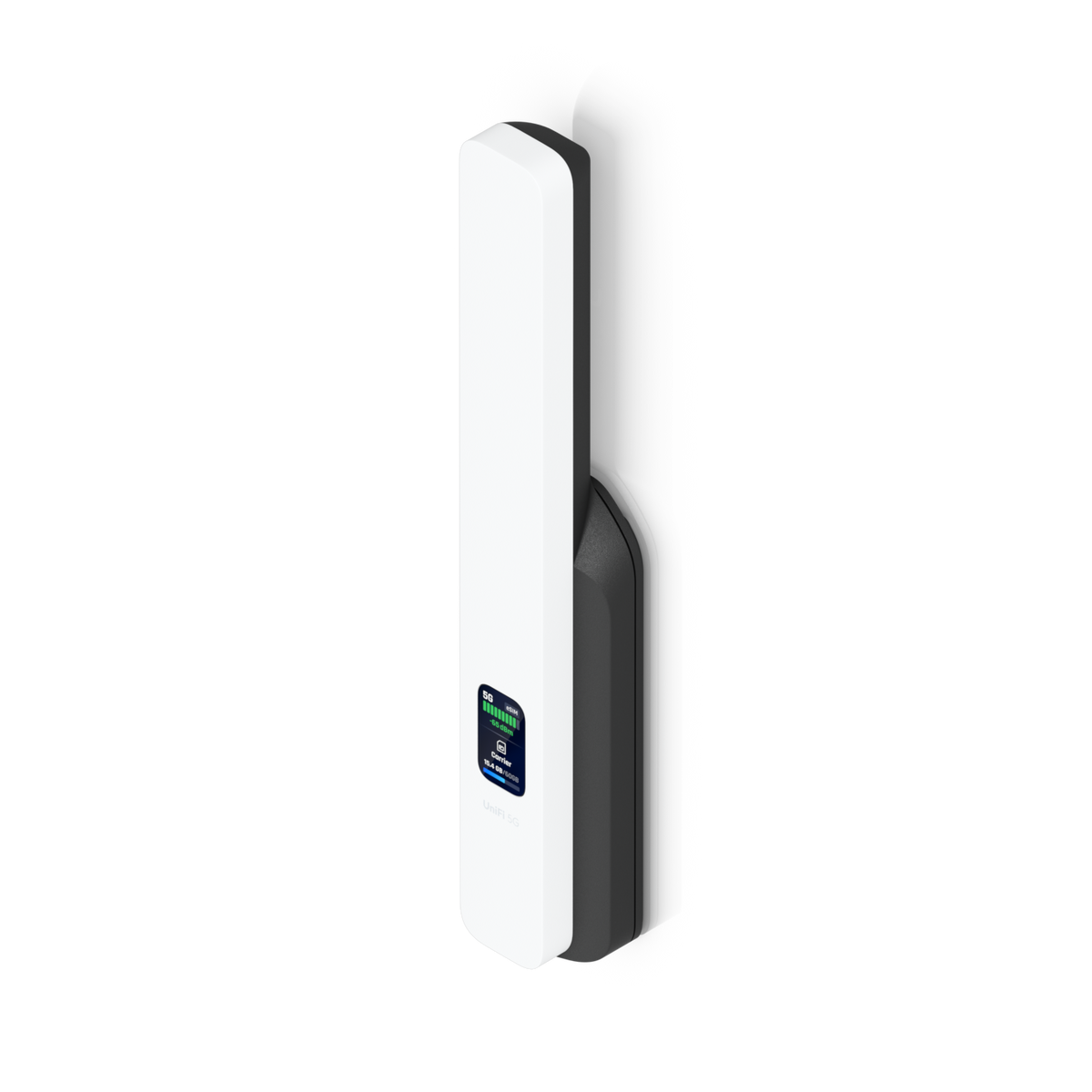
Compact PoE-powered 5G RedCap antenna system with versatile mounting that plugs into any UniFi PoE port to provide automatic internet backup.
View Installation GuideCustomer Satisfaction
Check out some recent reviews and customer experiences shared on Trustpilot
The Ubiquiti UniFi 5G Backup (U5G) keeps your UniFi network online when your main internet connection drops. Connect this compact 5G RedCap unit to any UniFi PoE port for automatic backup internet over 5G or 4G LTE.
One Ethernet cable carries both power and data, so it doesn't need a power outlet of its own. Insert a nano-SIM, then place it on a desk, wall or window with the included mounts, wherever reception is best.
Adopt it in UniFi Network and check its status at a glance on the 1.14" display on the unit itself.
Key features and benefits
Automatic 5G failover for UniFi
When your primary internet connection fails, the U5G takes over automatically and keeps your UniFi network online over 5G or 4G LTE.
One cable for power and data
One Ethernet cable from any UniFi PoE port powers and connects the U5G through its single GbE RJ45 port. That frees you to mount it where the signal is, not where the power outlets are.
5G RedCap and 4G LTE speeds
Connect over 5G RedCap or 4G LTE, with support for 12 bands on 5G NR and 15 on 4G LTE. Peak speeds reach 220 Mbps down and 120 Mbps up on 5G SA, or 195 Mbps down and 100 Mbps up on 4G LTE.
Nano-SIM and eSIM
The U5G takes a nano-SIM (4FF) and also has a built-in eSIM.
Mount it where reception is best
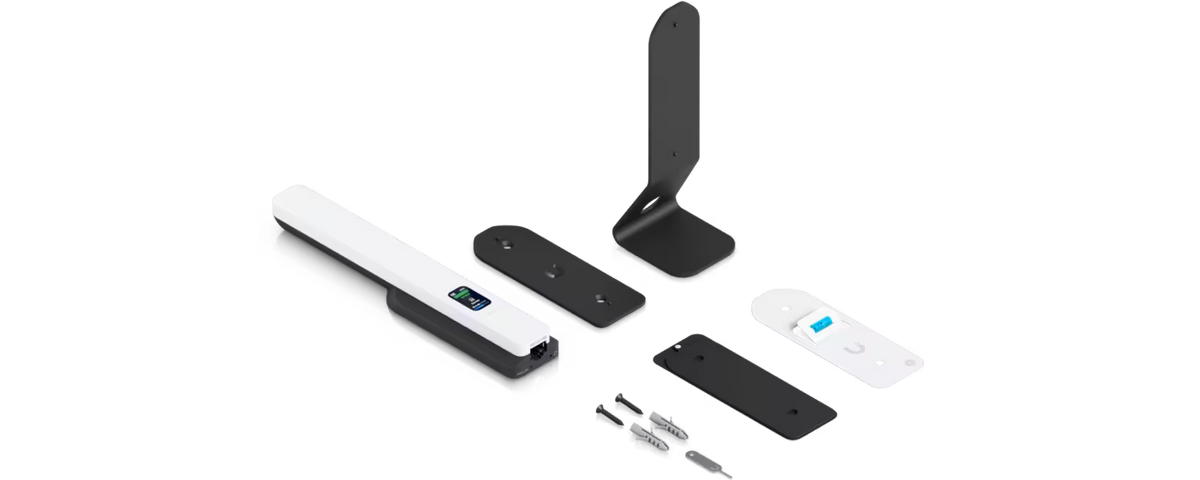
The compact U5G comes with a desktop stand, wall mount and window mount, so you can place it where coverage is strongest. Two embedded omni-directional antennas mean there's nothing external to fit.
Made for UniFi, with an on-device status display
Adopt the U5G in UniFi Network (version 10.4.57 or later). Its 1.14" display shows the unit's status.
Datasheet, Deployment & Features


Specification
| Overview | |
| Dimensions | Device: 200 x 38 x 20.2 mm (7.9 x 1.5 x 0.8") Table stand: 48.1 x 48 x 55.2 mm (1.9 x 1.9 x 2.2") |
| Networking Interface | (1) GbE RJ45 port, 5G RedCap and LTE |
| SIM | (1) Nano SIM (4FF), (1) eSIM |
| PoE Interface | (1) PoE input |
| Mounting | Desktop stand, wall, window mount (Included) |
| Mechanical | |
| Weight | Device: 122 g (4.3 oz) Stand: 138 g (4.9 oz) Wall mount: 66 g (2.3 oz) |
| Enclosure Material | Polycarbonate, aluminum alloy |
| Mount Material | Galvanized steel, silicone rubber |
| Hardware | |
| Management | Ethernet |
| 5G NR | |
| Category | 5G RedCap |
| Frequency Bands | n1, n3, n5, n7, n8, n20, n26, n28, n40, n41, n77, n78 |
| Max. TX Power | 23 dBm |
| 4G LTE | |
| Frequency Bands | B1, B3, B5, B7, B8, B18, B19, B20, B26, B28, B38, B40, B41, B42, B43 |
| Max. TX Power | HPUE power class 2: 26 dBm |
| Peak Data Speed | |
| 5G SA | Downlink 220 Mbps / Uplink 120 Mbps |
| 4G LTE | Downlink 195 Mbps / Uplink 100 Mbps |
| Antennas | |
| Type | (2) Embedded omni-directional cellular antennas |
| Power Method | PoE |
| Display | 1.14" status display |
| Buttons | (1) Factory reset |
| Ambient Operating Temperature | 0 to 40 °C (32 to 104 °F) |
| Ambient Operating Humidity | 5 to 95% noncondensing |
| Certifications | CE |
| Software | |
| Application Requirements | |
| UniFi Network | Version 10.4.57 and later |
| Mobile App | UniFi iOS™ version 10.35.0 and later UniFi Android™ version 10.38.2 and later |
What's In The Box
Buying for your business? Get special pricing and bulk discounts! Enquire about this product including its specification, customisation options and stock availability.
- Choosing a selection results in a full page refresh.
- Opens in a new window.