
-
Vendor:Ubiquiti
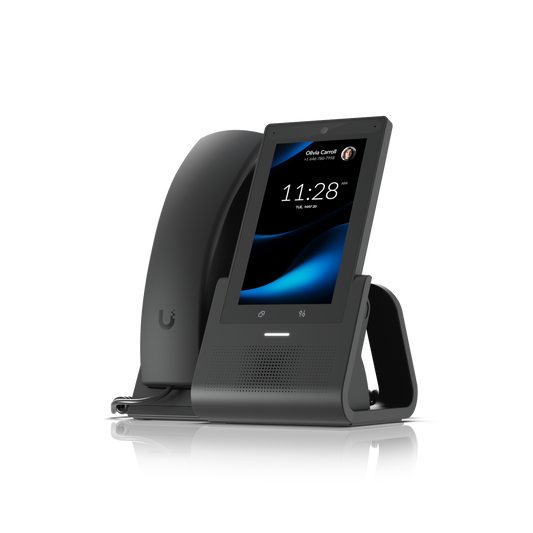
UniFi G3 Touch Pro Desktop Smartphone
UTP-G3-Touch-ProRegular price $372.00Regular price$373.00Sale price $372.00Sold out -
Vendor:Ubiquiti
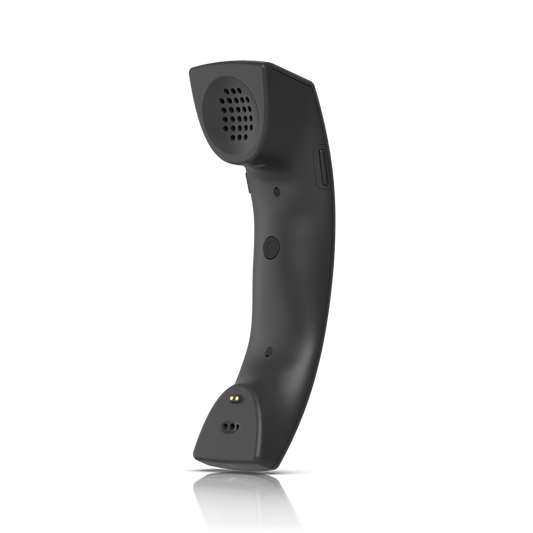
UniFi G3 Wireless Handset
UT-G3-HandsetRegular price $190.00Regular price$197.00Sale price $190.00Sold out -
Vendor:Ubiquiti
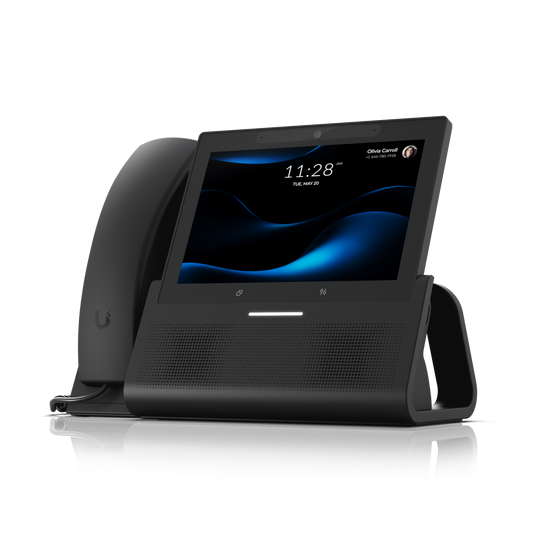
UniFi G3 Touch Enterprise Desktop Smartphone
UTP-G3-Touch-EnterpriseRegular price $558.00Regular price$549.00Sale price $558.00Sold out -
Vendor:Ubiquiti
UniFi Phone Touch Desktop Smartphone
UTP-TouchRegular price From $239.00Regular price$239.00Sale price From $239.00Ubiquiti UTP-Touch UniFi Phone Touch Desktop Smartphone
Regular price From $239.00Regular price$239.00Sale price From $239.00Ubiquiti UTP-Touch UniFi Phone Touch Desktop Smartphone
Regular price From $239.00Regular price$239.00Sale price From $239.00Sold out -
Vendor:Ubiquiti
UniFi G3 Touch Wall
UTP-G3-Touch-WallRegular price $744.00Regular price$747.00Sale price $744.00Sold out -
Vendor:Ubiquiti
UniFi Phone Touch Max Desktop Smartphone
UTP-TouchMaxRegular price From $518.00Regular price$539.00Sale price From $518.00Ubiquiti UTP-TouchMax UniFi Phone Touch Max Desktop Smartphone
Regular price From $518.00Regular price$539.00Sale price From $518.00Ubiquiti UTP-TouchMax UniFi Phone Touch Max Desktop Smartphone
Regular price From $518.00Regular price$539.00Sale price From $518.00Sold out






Free internal calls, no licence fees and one place to manage it all
Business VoIP phones that work the way your network does
UniFi Talk VoIP phones from Ubiquiti make your business phone system part of your UniFi deployment. Phones, users and settings are managed from the same platform as your network, so there’s no separate PBX box to maintain and no extra software licences to buy. Whether you’re fitting out a small office, a busy shopfront, a medical clinic or a multi-site organisation, this managed VoIP range is quick to install and easy for staff to pick up.
Two ways to deploy UniFi Talk in Australia
UniFi Plug-and-Play
Install the UniFi Talk application on a compatible UniFi OS Console and it becomes your on-site PBX. Calls between extensions are free, and for outside lines you simply connect a SIP trunk from your preferred Australian provider. It’s the most straightforward option for businesses already running UniFi, and it supports both G3 and G2 Talk phones.
Third-party PBX with Talk Relay
Already invested in a hosted phone platform? G3 Touch phones can connect to leading PBX and VoIP services including 3CX, RingCentral, Zoom, Nextiva and Asterisk-based systems. Talk Relay, part of UniFi Official Hosting, then lets you provision and monitor every phone remotely – a natural fit for MSPs and IT teams managing multiple sites.
Find the right phone for every space
G3 Touch Pro
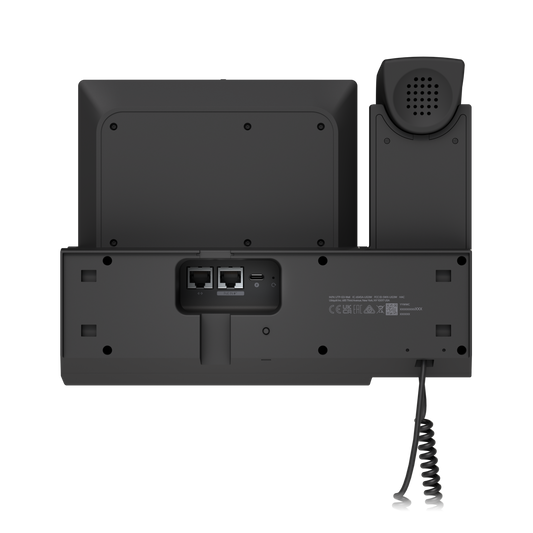
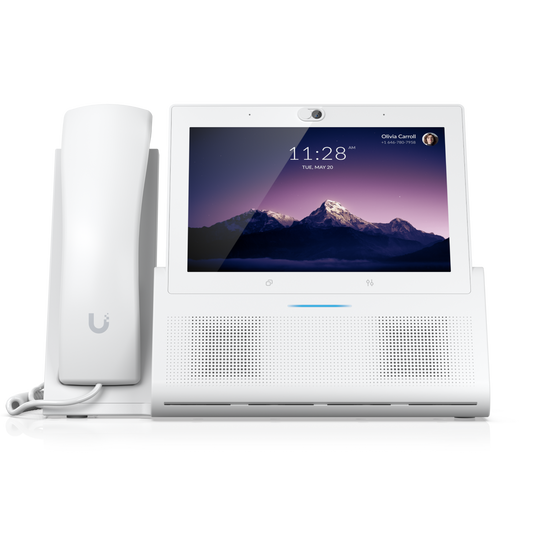
The everyday IP desk phone, with a 5-inch HD anti-glare touchscreen, 5MP camera with privacy shutter, speakerphone and 3.5 mm headset jack. Two gigabit ports let a computer share the same network cable, and it’s powered by PoE with WiFi and Bluetooth built in.
G3 Touch Enterprise
The flagship for executives, managers and reception. A larger 7-inch HD touchscreen, dual 3W speakers for richer hands-free calls and a built-in NFC reader for enrolling UniFi Access cards and fobs right at the desk. Runs on PoE+ or USB-C power.
G3 Touch Wall
The same 7-inch screen, 5MP camera, dual speakers and NFC reader as the Enterprise in a wall-mounted design – ideal for staff rooms, warehouses, workshops, corridors and service counters where desk space is tight. Powered by PoE or USB-C.
G3 Wireless Handset
Pair this Bluetooth 5.2 LE Audio handset with any G3 Touch phone to answer, mute and adjust the volume on the move, so calls don’t have to stop when you leave your desk.
UniFi Analog Telephone Adapter (ATA)
Keep the analogue phones, cordless handsets and fax machines your business still relies on. Two FXS ports bring legacy devices into UniFi Talk with voicemail, caller ID, call transfer, call waiting and three-way conferencing, plus fax pass-through – handy for sites that have moved to the NBN but aren’t ready to replace every handset.
G2 Touch and G2 Touch Max
Already running previous-generation Talk phones? G2 models work alongside G3 phones in UniFi Talk, so you can expand without replacing your existing fleet.
Features your team will use every day
With UniFi Talk, every phone covers the essentials – hold, warm and cold transfer, conferencing, call forwarding, call waiting and voicemail – plus one-touch internal video calling between Talk phones. Share a single number across a group of phones, record calls when a hard drive is installed in your console, and manage devices, users and settings from one platform, on site or remotely through UniFi Site Manager. G3 phones can even be pre-provisioned, so they arrive on site ready to plug in. And because UniFi Talk works alongside UniFi Access, your phones can also unlock doors for visitors.
Mix and match the range to equip every desk, wall and workspace on site.
UniFi Talk FAQs
Do UniFi Talk phones work in Australia?
Yes. Ubiquiti’s own UniFi Talk calling plans are currently limited to the US, UK and Canada, so Australian businesses connect a third-party SIP provider for external calls, or link G3 phones to an existing PBX using Talk Relay. Internal calls between UniFi Talk extensions are free.
What do I need to get started?
A UniFi OS Console that supports UniFi Talk, PoE to power the phones (the Enterprise, Wall and ATA also accept USB-C power) and a SIP trunk for outside calls. A hard drive in the console is only needed if you want to store call recordings.
Can I keep my analogue phones or fax machine?
Yes. Each UniFi Analog Telephone Adapter connects up to two analogue devices, including fax machines via G.711 fax pass-through.