
-
Vendor:Ubiquiti
UniFi UPS Tower Managed Uninterruptible Power Supply
UPS-TowerRegular price $315.00Regular price$439.00Sale price $315.00Sale -
Vendor:Ubiquiti
UniFi UPS 2U Managed Rackmount Uninterruptible Power Supply
UPS-2URegular price $586.00Regular price$604.00Sale price $586.00Sale -
Vendor:Ubiquiti
UniFi Power Backup
USP-RPSRegular price $794.00Regular price$846.00Sale price $794.00Sale




Keep your UniFi network running when the power doesn’t
Power protection designed for UniFi
A fast network is only as reliable as the power behind it. A short blackout can drop your internet connection, knock cameras offline mid-recording and force a NAS to shut down hard in the middle of a write. A failed power supply can take out a core switch with no warning at all. The UniFi Power Tech range is built to stop those problems before they reach your users.
Every product in the range adopts into UniFi just like an access point or switch. Battery status and power draw sit in the same dashboard and mobile app you already use to run your network, and you’re alerted the moment mains power drops. There’s no separate UPS software to install, no USB signalling cables to run and no extra logins to manage.
Smarter shutdowns when the battery runs low
If an outage looks set to outlast the battery, UniFi UPS units trigger a Graceful Shutdown on supported UniFi NVRs and UNAS storage, so recordings and drives power down cleanly rather than crashing. Built-in NUT (Network UPS Tools) support extends the same protection to compatible third-party servers and NAS units, so one UPS can look after mixed equipment in the same rack.
Find the right power protection
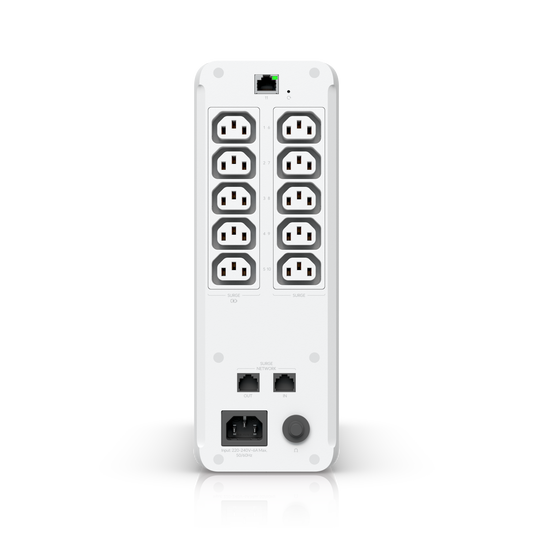
UPS Tower – A compact 1kVA tower for home offices, studios and small comms cupboards. It offers 10 outlets (five battery-backed, five surge-only), a hot-swappable 108Wh battery with around seven minutes of runtime at half load (300W), and pass-through surge protection for your Ethernet line.
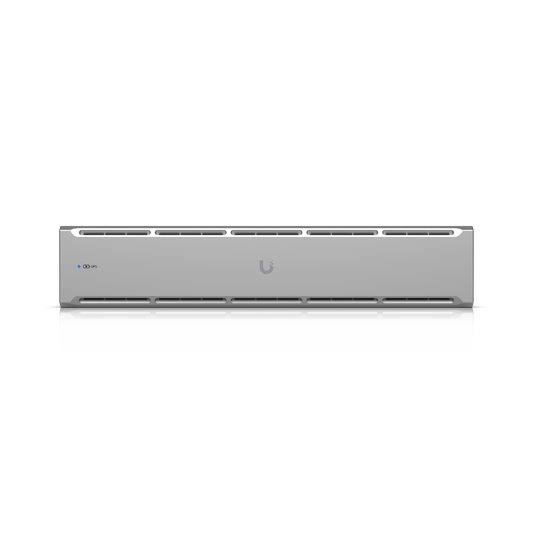
UPS 2U – A 2U rackmount UPS for small business and branch office racks, with eight outlets (four battery-backed, four surge-only), a field-replaceable 216Wh battery and around eight minutes of runtime at half load (500W).
UPS 2U Pro – The flagship for larger racks and MSP-managed sites. Pure sine wave output suits sensitive servers and storage, outlets can be individually monitored and power-cycled remotely, and a field-replaceable 720Wh battery delivers up to 22 minutes at half load. Remote outlet control means a frozen modem or camera can be rebooted from your phone instead of booking a call-out. It’s a deep unit, so check your rack depth before ordering.
UPS PoE Switch Mission Critical – A 1U managed switch with a built-in 368Wh lithium-ion battery that keeps eight PoE devices running through a blackout, with four PoE+ and four PoE++ ports sharing a 120W budget. Two AC outlets keep your gateway and modem online as well, and a DC input accepts an external 48V battery for longer runtime. It’s ideal for cameras, access points and UniFi Access door hardware that can’t afford to go dark.
Redundant Power – A 1U, 950W redundant power system with six RPS DC ports. If the internal power supply in a compatible rack-mounted UniFi switch or gateway fails, the RPS takes over so the device stays online while you organise a replacement.
Build resilience in layers
The range works best as a system. A UPS covers mains failures, surges and brownouts. Redundant Power covers an internal power supply failure. The Mission Critical switch keeps PoE devices at the edge of your network alive. Run the RPS from a UPS and your core rack is protected against both kinds of failure.
Frequently asked questions
How long will a UniFi UPS run during a blackout?
It depends on what’s plugged in. At half load, Ubiquiti rates the UPS Tower at around 7 minutes, the UPS 2U at around 8 minutes and the UPS 2U Pro at up to 22 minutes, and lighter loads run for longer. These units are designed to bridge short outages and give your equipment time to shut down cleanly during longer ones.
Can I plug in non-Ubiquiti equipment?
Yes. The UPS Tower and UPS 2U use IEC C13 outlets, the standard on most networking and IT gear, so devices with a regular Australian plug will need an IEC C14 to Australian socket adapter lead. NUT support also lets compatible third-party servers and NAS units receive a safe-shutdown signal.
What’s the difference between a UPS and Redundant Power?
A UPS uses a battery to keep devices running when mains power fails. Redundant Power has no battery: it steps in when a device’s own power supply fails. Use both for full protection.