


UniFi UPS Tower Managed Uninterruptible Power Supply
UniFi UPS Tower Managed Uninterruptible Power Supply
SKU:UPS-Tower
Sale Live Now. Limited promotional stock available — don’t miss out!
23 in stock and ready to ship
Couldn't load pickup availability
Australian Reseller | Australian Stock | Australian Warranty
Found it cheaper elsewhere? Let us know
Buying for your business? Earn Store Credits


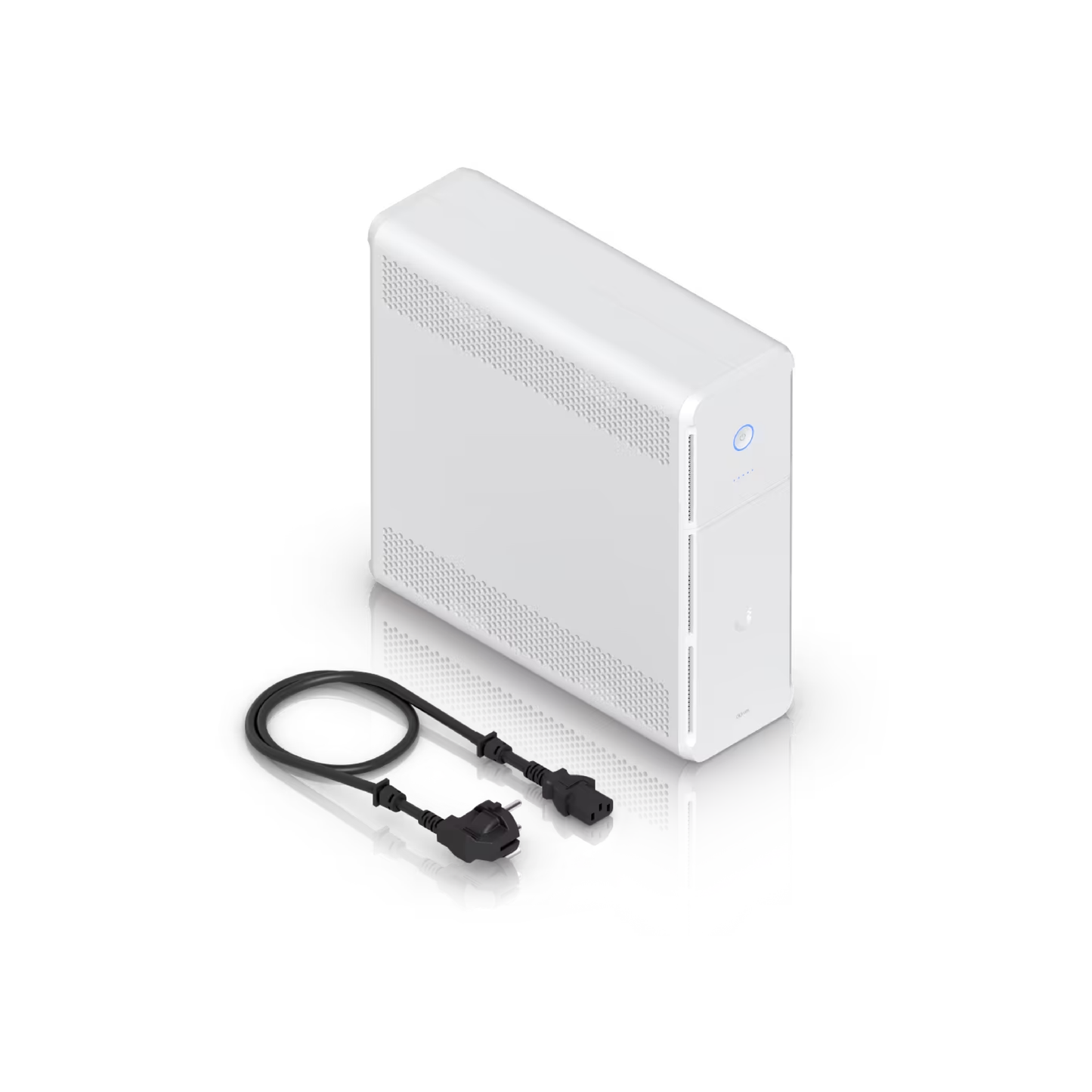
UniFi managed 1kVA uninterruptible power supply with 5 backup outlets 5 surge outlets and hot swappable battery, 108Wh, half load (300W) runtime of 7 minutes. Supports Graceful Shutdown for UNVR and UNAS, and includes NUT compatibility for third-party devices.
- (2) GbE ports for Surge In/Out.
- (1) 100/10 MbE port for network connection.
- (10) 240V AC C13 outputs; 600W.
- Battery backup power system (UPS).
- Internal battery 108Wh (1) Lead Acid 12V, 9Ah.
Backup Power Compatible Devices:
- UCG-Fiber
- UCG-Max
- UCG-Ultra
- UDM-Pro
- UDM-Pro-Max
- UDM-SE
- UDM
- UDR
- UDR7
- UX
- UX7
- USW-16-POE
- USW-24
- USW-24-POE
- USW-48
- USW-48-POE
- USW-Aggregation
- USW-Enterprise-8-PoE
- USW-Enterprise-24-PoE
- USW-EnterpriseXG-24
- USW-Flex
- USW-Flex-2.5G-5
- USW-Flex-2.5G-8
- USW-Flex-2.5G-8-PoE
- USW-Flex-Mini
- USW-Flex-Utility
- USW-Flex-XG
- USW-Lite-8-PoE
- USW-Lite-16-PoE
- USW-Pro-8-PoE
- USW-Pro-24
- USW-Pro-24-POE
- USW-Pro-48
- USW-Pro-48-POE
- USW-Pro-Aggregation
- USW-Pro-HD-24
- USW-Pro-Max-16
- USW-Pro-Max-16-PoE
- USW-Pro-Max-24-PoE
- USW-Pro-Max-48
- USW-Pro-Max-48-PoE
- USW-Pro-XG-8-PoE
- USW-Pro-XG-10-PoE
- USW-Pro-XG-24
- USW-Pro-XG-24-PoE
- USW-Pro-XG-48
- USW-Pro-XG-48-PoE
- USW-Ultra
- USW-Ultra-60W
- USW-Ultra-210W
- USW-WAN
- USW-WAN-RJ45
- UNAS-2
- UNAS-Pro
- UNVR
- UNVR-Pro
- USP-PDU-Pro
Note. For Graceful Shutdown functionality, UniFi OS version 4.4.3 or higher is required.
You can use either UACC-Cable-C13-C14 or IEC C14 to 3-pin Mains Socket Power Cable to connect Australian equipments.
View Installation GuideCustomer Satisfaction
Check out some recent reviews and customer experiences shared on Trustpilot
Specification
| Mechanical | |
|---|---|
| Dimensions |
288 x 99 x 280.5 mm (11.3 x 3.9 x 11") |
| Weight | 7.85 kg (17.3 lb) |
| Enclosure Material | Polycarbonate and acrylonitrile butadiene styrene blend |
| Form Factor | Desktop |
| Weatherproofing | IP20 |
| Hardware | |
| Management | Ethernet |
| Networking Interface |
(1) 100/10 MbE port for network connection (2) GbE ports for surge in/out |
| Power |
(1) OVC II AC in: C14 socket, 1.8 m (5.9 ft) removable power cord
(5) Battery backup/surge protection: C13 (5) Surge protection: C13 |
| Capacity | 1,000VA/600W |
| Type | Line interactive |
| Input Voltage Range | 170—280V AC |
| Power Method | (1) TN system, 220—240V AC, 6A Max., 50/60 Hz |
| Nominal Input Voltage | 230V AC |
| Output Voltage | 220—240V AC |
| Nominal Output Voltage | 230V AC |
| Frequency Range |
AC mode: 50/60 Hz ±5 Hz (Auto sensing) Battery mode: 50 Hz ±1 Hz |
| AC Voltage Regulation | ±10% (Battery mode) |
| Transfer Time | 6 ms typical; 10 ms max. (Battery mode) |
| Wave Form | Simulated sine wave (Battery mode) |
| Battery Type | (1) Lead Acid 12V, 9Ah |
| Runtime |
Full load: 2 min Half load: 7 min |
| Battery Charging Time | 6-8 hours recovery to 90% capacity |
| Overload at On-Line Mode |
110% 5 min go to fault 120% go to fault immediately |
| Overload at Battery Mode |
110% shutdown in 5 sec 120% shutdown immediately |
| Short Circuit Protection at On-Line Mode | Breaker, 250V AC, 10A |
| Output Short-Circuit Current |
Ipeak 401.9A Irms 160.7A |
| Buttons |
(1) Power (1) Factory reset |
| LEDs |
Status: Off: device not turned on Flashing white: initializing / factory default Steady white: waiting for adoption Steady blue: device adoption and working Flashing blue: battery mode Alternating white/blue: firmware upgrading Rapid flashing blue: locate Steady red: warning Flashing red: low battery Battery Indicator: All off: 0% (1) Steady blue: battery 1—19% (2) Steady blue: battery 20—39% (3) Steady blue: battery 40—59% (4) Steady blue: battery 60—79% (5) Steady blue: battery 80—100% |
| Operating Altitude | 3,000 m (1.9 mi) |
| Operating Environment | Pollution Degree 2 |
| Ambient Storage Temperature | -20 to 50° C (-4 to 122° F) |
| Ambient Operating Temperature | 0 to 40° C (32 to 104° F) |
| Ambient Operating Humidity | 0 to 95% noncondensing |
| Certifications | CE, IEC 62040-1 |
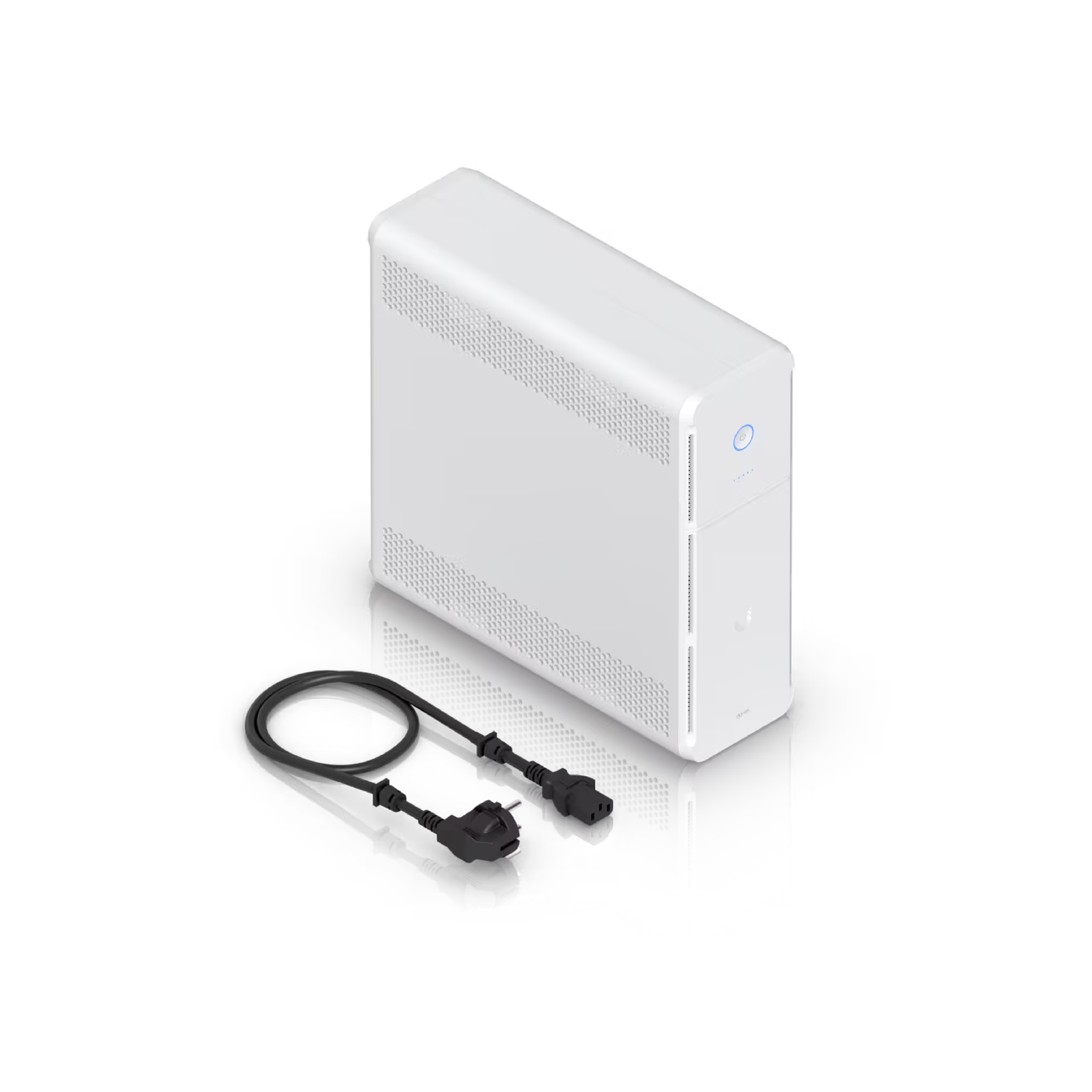
What's In The Box
Frequently Asked Questions
Is the battery hot-swappable?
Yes. The UniFi UPS Tower supports hot-swappable battery replacement via the front panel, making the process quick and hassle-free.
What devices should not be plugged into the UniFi UPS Tower?
Avoid connecting the following types of devices to the UniFi UPS Tower:
- High-power appliances - e.g., laser printers, vacuum cleaners, hair dryers, microwaves, air conditioners, refrigerators.
- Motor- or compressor-driven equipment - e.g., power tools, drills, air pumps.
- Devices with high inrush current - e.g., large servo motors, induction cooktops.
- Any device that exceeds the UPS's rated wattage.
These devices can draw excessive or sudden inrush current, which may overload the UPS, trigger protection shutdown, or shorten the battery lifespan.
Why does the UniFi UPS Tower report an overload?
The UniFi UPS Tower reports an overload when the total connected load exceeds its 600 W rating, or when a device draws a high inrush current during startup.
Can the UniFi UPS Tower be cold started?
Yes. UniFi UPS Tower can start from the battery when utility power is absent.
How does the UniFi UPS Tower operate when there's no power interruption?
When utility power is available, the UniFi UPS Tower draws power directly from the mains while charging its internal battery. The built-in AVR (Automatic Voltage Regulation) maintains stable output within 89–145 V (US) or 170–280 V (EU) without switching to battery mode.
What happens when there is a power interruption?
The UniFi UPS Tower will provide power to devices connected to the battery backup ports until the battery is drained.
When the battery is low (around 2 minutes of runtime remaining), the UniFi UPS Tower automatically sends a graceful shutdown signal to NUT, regardless of load.
- Full load(600W): 2 min.
- Half load(300W): 7 min.
When AC power is restored, the UniFi UPS Tower will automatically restart and provide power to connected devices.
What information can the NUT server provide?
Battery Status:
- Charge level,
- Voltage,
- Runtime to empty.
Power Input:
- Real-time input voltage,
- Nominal input voltage,
- High voltage transfer threshold,
- Low voltage transfer threshold.
Power Output:
- Real-time output voltage,
- Nominal output voltage,
- Output current,
- Real-time output power,
- Nominal output power.
System Information:
- UPS status,
- UPS serial number,
- UPS type,
- UPS self-test result,
- UPS self-test date.
How many clients can the UPS NUT server support?
The UniFi UPS Tower NUT server can support up to 3 clients.