
-
Vendor:Ubiquiti
UniFi Door Hub Mini
UA-Hub-Door-MiniRegular price $203.00Regular price$230.00Sale price $203.00Sold out -
Vendor:Ubiquiti
UniFi Gate Hub
UA-Hub-GateRegular price $501.00Regular price$494.00Sale price $501.00 -

 Sold outVendor:Ubiquiti
UniFi Door Hub
UA-Hub-DoorRegular price $344.00Regular price$364.00Sale price $344.00Sold out -
Vendor:Ubiquiti
UniFi Enterprise Access Hub
EAH-8Regular price $1,806.00Regular price$2,628.00Sale price $1,806.00Sale -
Vendor:Ubiquiti
UniFi Retrofit Hub
UA-Retrofit-Hub-2Regular price $531.00Regular price$574.00Sale price $531.00Sold out





Secure a single door or an entire site, all from one app
UniFi Access Hubs: Access Control for Every Door and Gate
Every secure entrance needs hardware that turns an approved credential into an unlocked door. In a UniFi Access system, that’s the job of the hub. Acting as the door controller, it links your readers, electric locks and door hardware to the UniFi Access application. It releases the lock when someone is granted entry and logs every event in one central dashboard. Whether you’re securing a single office door, a motorised vehicle gate or eight doors across a facility, there’s a hub built for the job.
How UniFi Access Hubs Work
Most hubs in the range are powered over a single PoE cable that carries both data and power. The hub then powers your electric lock and, on most models, your Access Readers through built-in PoE outputs, so there are fewer separate power supplies to install. Terminals for exit buttons and door position sensors (plus emergency release on most models) keep the system aware of each door’s status. AUX outputs on select hubs can also trigger chimes, sirens or automatic door openers.
Once installed, every hub is managed in the UniFi Access application. Add users, issue credentials, build access schedules, unlock doors remotely and review a complete history of who came and went, all from one place.
Find the Right Access Hub
Access Ultra (UA-Ultra)
The simplest way to secure a single door. Access Ultra combines an NFC reader and a hub in one compact, IP55-rated device, so there’s no separate controller to install. It’s powered by PoE+ and drives a 12V electric lock directly. It supports NFC cards, keyfobs and mobile unlock for up to 3,000 users, and mounts on a wall or gang box, indoors or out.
Door Hub Mini (UA-Hub-Door-Mini)
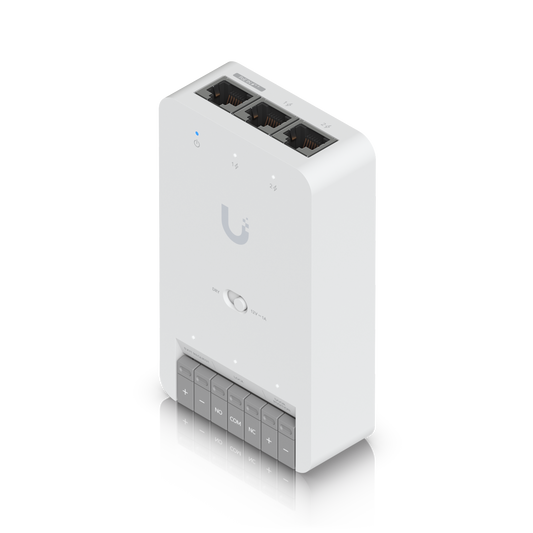
A compact, DIN-rail-mounted hub for a single door, small enough for tight enclosures. It runs on PoE++, powers connected readers through two PoE+ outputs and includes inputs for an exit button and door position sensor. A switchable relay handles both 12V powered and dry-contact locks, with support for up to 3,000 users.
Door Hub (UA-Hub-Door)
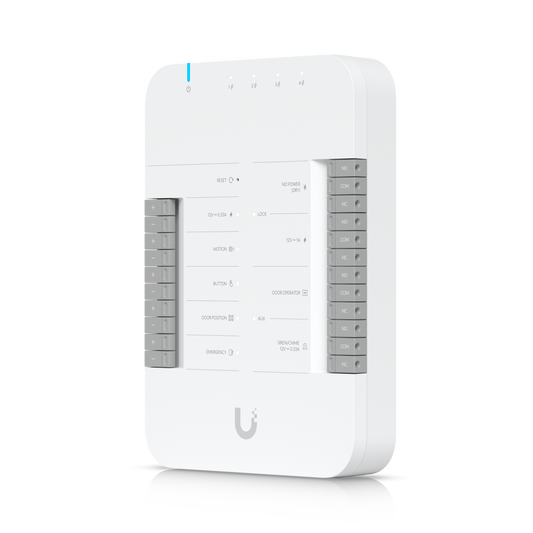
The go-to hub for full entry and exit control on a single door. One PoE++ connection powers the hub, and four PoE+ outputs power Access Readers on both sides of the door. It adds lock and AUX outputs, inputs for exit requests, door position and emergency release, and support for up to 6,000 users. That makes it a flexible fit for offices, server rooms and shared spaces.
Gate Hub (UA-Hub-Gate)
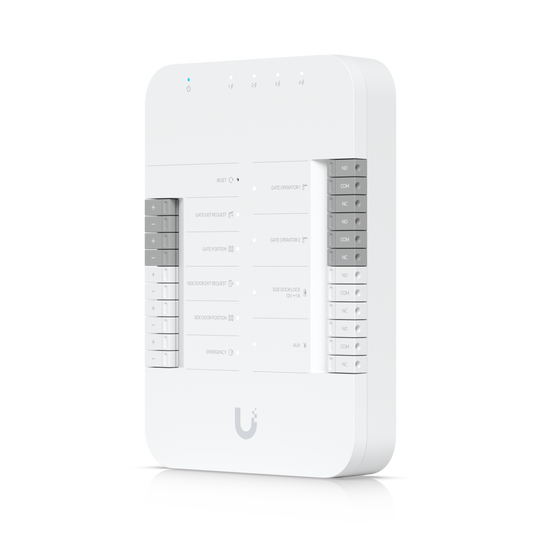
Purpose-built for perimeter access. The Gate Hub controls a motorised gate and an adjacent pedestrian door from one PoE++-powered unit, with dedicated relays for your gate operator. Connect Access Readers or an Access Intercom to its four PoE outputs, and add number plate recognition with a compatible UniFi Protect AI camera. For outdoor installs, house it in a waterproof junction box.
Retrofit Hub (UA-Retrofit-Hub-2)
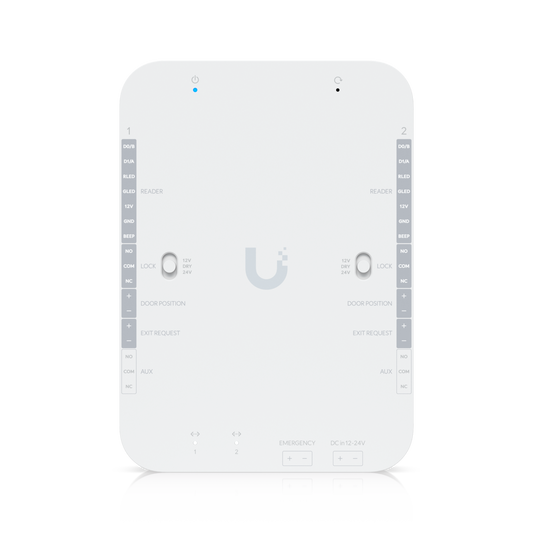
Move a legacy system onto UniFi Access without ripping out your readers. The Retrofit Hub supports Wiegand and OSDP readers. You can keep existing third-party Wiegand readers or switch to UniFi Retrofit Readers over the same cabling, across up to two doors. It runs on 12V or 24V DC, drives 12V, 24V or dry-contact locks and supports up to 10,000 users.
Enterprise Access Hub (EAH-8)
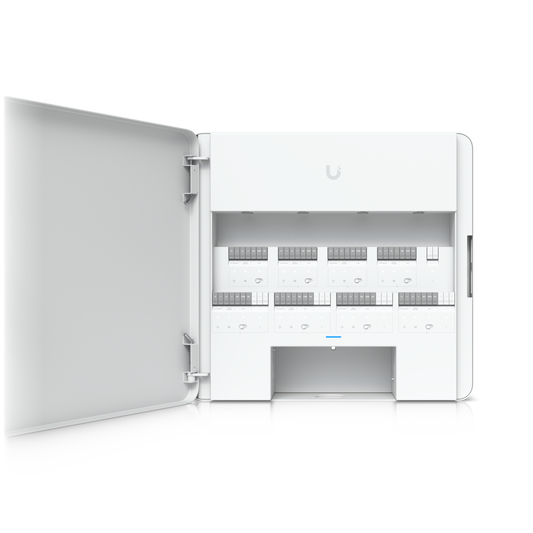
An eight-door access control panel in a single wall-mounted steel enclosure. The EAH-8 has eight lock terminals and eight PoE+ ports for readers, with up to 190W of total PoE. It also includes 16 inputs for exit requests and door position sensors, four AUX terminals and an emergency input. A built-in universal AC power supply and battery backup support help keep doors running through outages, with capacity for up to 10,000 users.
Why Choose UniFi Access Hubs
- Cleaner installs: PoE-powered hubs run on a single network cable and power connected readers, cutting down on extra power supplies and wiring.
- One app for every entrance: Manage doors, gates, users, schedules and access logs in UniFi Access, on site or remotely.
- Standards you can specify: Most models are UL 294 and CAN/ULC-60839-11-1 certified and NDAA compliant.
- Room to grow: Start with one door, then add hubs, readers and intercoms over time without switching platforms.
Complete Your Access Control System
Hubs are one part of a complete UniFi Access deployment. Pair them with UniFi Access Readers for NFC cards, Touch Pass mobile credentials, PIN and fingerprint entry. Add an Access Intercom so visitors can call for entry. Door Access Accessories covers magnetic and electric locks, exit buttons, keyed emergency overrides, enclosures and lock cabling. Starting from scratch? Starter Kits bundle the core hardware for a first door, gate or lift.
Frequently Asked Questions
Do I need a separate reader?
For most hubs, yes. The Door Hub, Door Hub Mini, Gate Hub and Enterprise Access Hub connect to UniFi Access Readers. The Retrofit Hub supports UniFi Retrofit Readers and existing third-party Wiegand readers. Access Ultra is the exception: its reader is built in, and it works as a standalone unit rather than as a reader for other hubs.
How many doors can one hub control?
Access Ultra, Door Hub Mini and Door Hub each control one door. The Gate Hub manages one gate plus one side door, the Retrofit Hub up to two doors and the Enterprise Access Hub up to eight. Multiple hubs can run side by side in a single UniFi Access system.
How are the hubs powered?
The Door Hub, Door Hub Mini and Gate Hub use PoE++, and Access Ultra uses PoE+. The Retrofit Hub runs on 12V or 24V DC, and the Enterprise Access Hub has a built-in power supply with universal AC input.
What happens during a power outage?
The Enterprise Access Hub supports a backup battery, and the Retrofit PSU 12V adds optional battery backup for the Retrofit Hub. For PoE-powered hubs, connect them to a battery-backed switch such as the UPS PoE Switch to keep locks and readers running.