


UniFi SFP Wizard
UniFi SFP Wizard
SKU:UACC-SFP-Wizard
Sale Live Now. Limited promotional stock available — don’t miss out!
150 in stock and ready to ship
Couldn't load pickup availability
Australian Reseller | Australian Stock | Australian Warranty
Found it cheaper elsewhere? Let us know
Buying for your business? Earn Store Credits


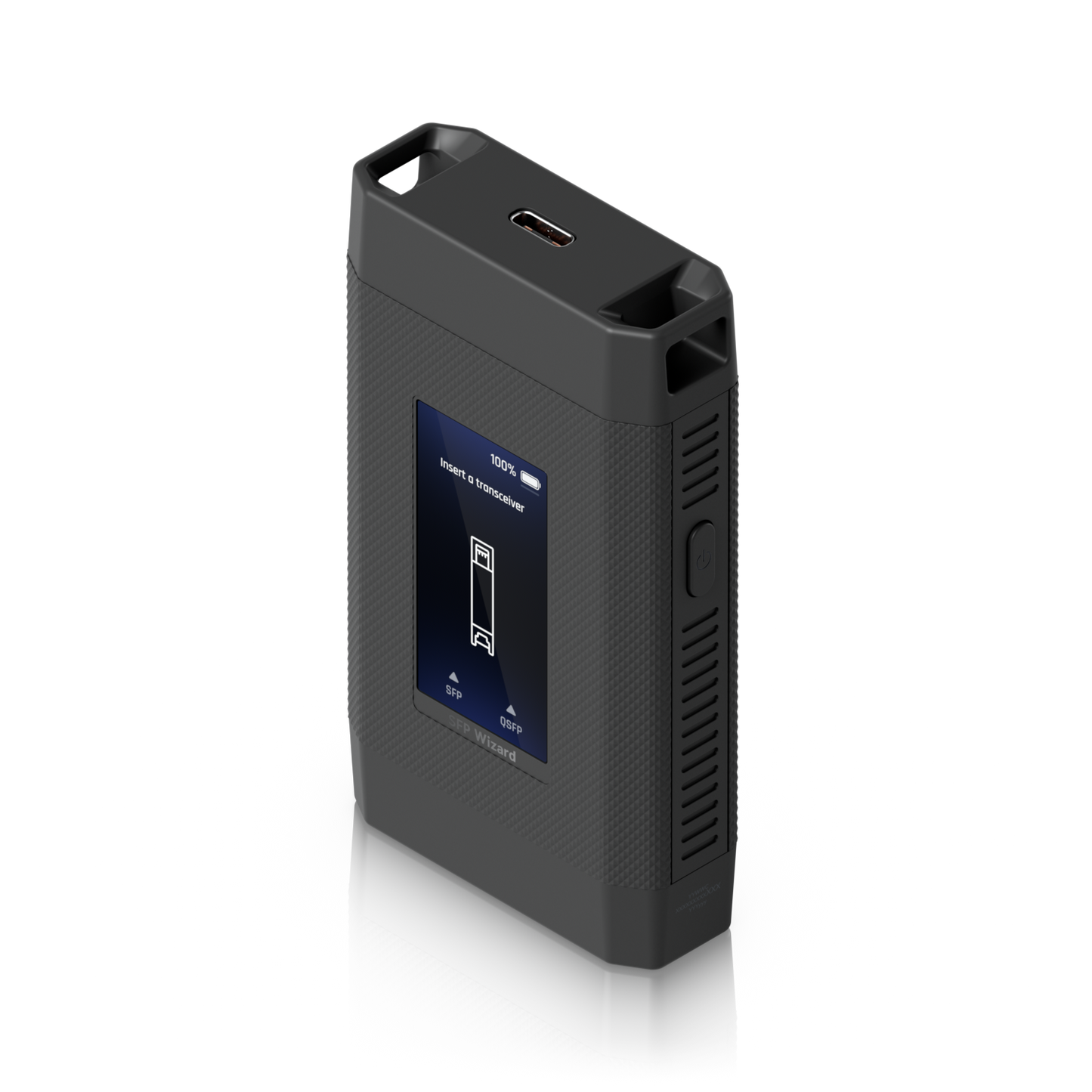
Reprogram, test and unlock any optical module — in seconds
Instantly reprogram, test, and unlock universal compatibility for every optical module — with full diagnostics and OTA updates built in.
View Installation GuideCustomer Satisfaction
Check out some recent reviews and customer experiences shared on Trustpilot
The Ubiquiti UACC-SFP-Wizard is a pocket-sized optical module programmer and diagnostic tool built for network installers, integrators and IT teams who work with fiber every day. Insert an SFP or QSFP transceiver, tap the touchscreen, and copy, write or restore its profile in a matter of seconds — no laptop, no console cable, no switch configuration changes.
It's the tool that turns "this module isn't supported on that switch" into a non-problem.
Why installers keep one in their bag
Copy a profile from any module, write it to a Ubiquiti one Insert a third-party SFP or QSFP transceiver, select Copy, then insert a Ubiquiti module and write the profile across. The Ubiquiti module now presents itself exactly as the original did — so it drops into vendor-locked switch ports without argument, and without touching a single line of switch config.
Real-time DDM health checks Read Digital Diagnostic Monitoring data straight off any inserted module, Ubiquiti or third-party: Rx/Tx optical power, laser bias current and temperature. You can also power up the module's laser directly from the Wizard to confirm a link before you climb the ladder a second time.
One-tap factory restore Insert a Ubiquiti SFP module and you get the option to erase any custom data written to it and return it to its original factory configuration. Mis-coded a module? Reverse it in seconds.
Works untethered, all day A rechargeable 3.7V 300mAh Li-ion battery delivers up to 75 minutes of continuous SFP diagnostics with the laser active, or around 35 minutes with QSFP transceivers. Top it up over USB-C from any phone charger or power bank.
A tool that keeps getting better Pair over Bluetooth LE to the UniFi mobile app for over-the-air firmware updates, module profile management and diagnostic data. Ubiquiti has shipped new capabilities post-launch, so the Wizard you buy today gains features over time at no extra cost.
Built to live in a pocket At 90.8 × 52.1 × 20.2 mm and 84 g, in a polycarbonate housing with a lanyard-ready body, it's roughly matchbox-sized. The 1.9" touchscreen means no cryptic button combinations — everything is on screen.
Supported form factors
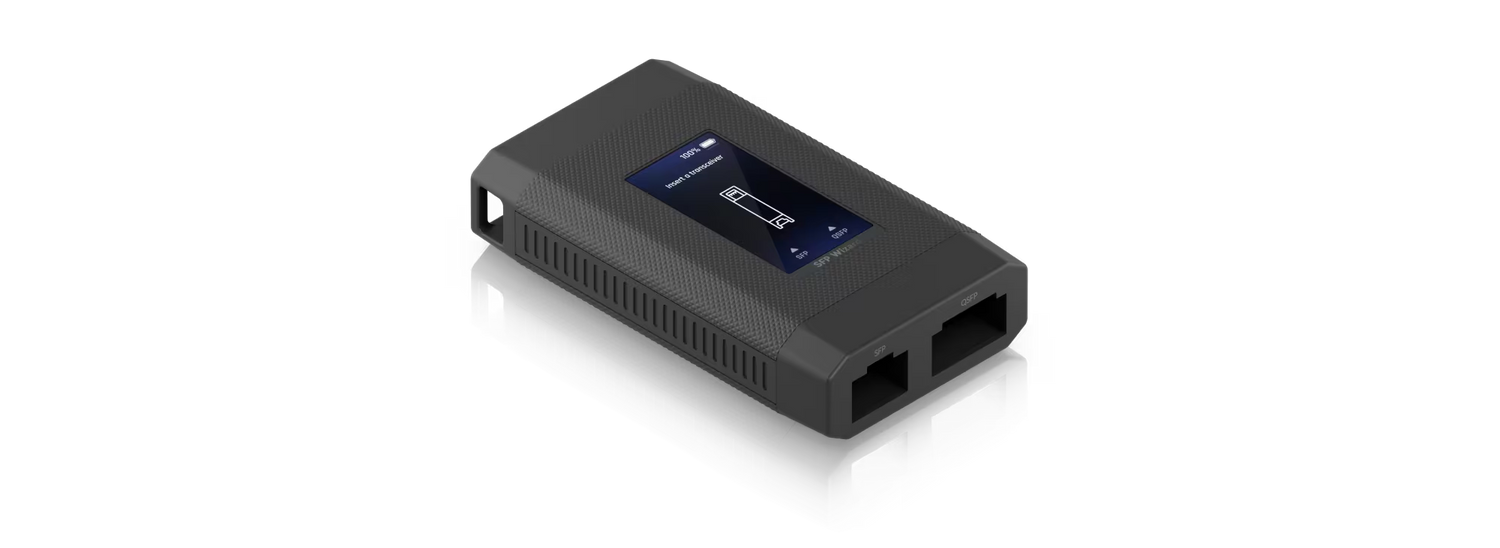
The UACC-SFP-Wizard has two slots covering the full range of common optical form factors:
| Slot | Supported modules |
|---|---|
| SFP slot | SFP, SFP+, SFP28 |
| QSFP slot | QSFP+, QSFP28 |
That covers everything from 1G fiber uplinks through to 25G and 100G links.
Please note: UISP Fiber/GPON optical modules and the UniFi SFP+ to RJ45 adapter (UACC-CM-RJ45-MG) are not compatible with the SFP Wizard. Optical modules are sold separately.
Who it's for
- Network installers and integrators carrying mixed-vendor stock and needing modules that just work on site.
- MSPs and IT teams troubleshooting fiber links without hauling out a laptop and console cable.
- Data centre and lab technicians validating transceiver health before deployment.
- WISPs and ISPs managing large module inventories across multiple switch platforms.
If you've ever had a fiber link refuse to come up and had no way to tell whether the module, the patch lead or the port was at fault, this is the $50 tool that answers the question in under a minute.
Typical workflow
- Power on and insert the source module (any brand) into the matching slot.
- Tap Copy to read the module's profile off its EEPROM.
- Swap in the Ubiquiti module you want to program.
- Tap Write — the profile is cloned across.
- Verify by reading DDM data and enabling the laser to confirm the module is live.
Total time: seconds, not a support ticket.
Datasheet, Deployment & Features


Specification
| Mechanical | |
| Dimensions | 90.8 x 52.1 x 20.2 mm (3.6 x 2.1 x 0.8") |
| Weight | 84 g (3 oz) |
| Enclosure Material | Polycarbonate |
| Hardware | |
| Networking Interface | BLE |
| Power Method | Li-ion battery |
| Battery Life | Up to 75 minutes of continuous SFP transceiver diagnostics with laser on, or 35 minutes with QSFP transceivers |
| Power Supply | Rechargeable Li-ion battery, 3.7V DC, 300mAh |
| Supported Voltage Range | USB-C: 5V DC/0.5A |
| Max. Power Consumption | 0.6W |
| Supported Form Factor | SFP, SFP+, SFP28, QSFP+, QSFP28 |
| LCM Display | 1.9" touchscreen |
| Buttons | (1) Power |
| Ambient Operating Temperature | 0 to 40° C (32 to 104° F) |
| Ambient Operating Humidity | 10 to 90% noncondensing |
| NDAA Compliant | ✓ |
| Certifications | FCC, IC, CE |
| Software | |
| Application Requirements | |
| Mobile App | UniFi iOS™ version 10.29.1 and later; UniFi Android™ version 10.30.2 and later |
What's In The Box
Frequently Asked Questions
What is SFP Wizard?
SFP Wizard is a portable optical module programmer and diagnostic tool, enhanced through OTA updates via the UniFi mobile app. Using SFP Wizard, you can copy SFP transceiver information from third-party modules to Ubiquiti SFP/QSFP modules and read DDM diagnostic information, including powering up a module’s laser for a link check.
What SFP and QSFP modules are compatible with SFP Wizard?
SFP Wizard supports most Ubiquiti and third-party SFP/QSFP modules. It provides profile copying and diagnostics for most models, while writing is limited exclusively to Ubiquiti modules.
UISP Fiber/GPON modules and the UniFi SFP+ to RJ45 adapter are not supported.
Is the UniFi mobile app or UniFi Network required to use SFP Wizard?
The UniFi mobile app is not required to use core SFP Wizard functionality; however, it can be used for OTA updates to SFP Wizard firmware and in the recovery process for Ubiquiti SFP transceivers.
What kind of diagnostics can be performed with SFP Wizard?
DDM information can be read from inserted modules, both Ubiquiti and third-party. This includes information like Rx/Tx power, bias current, temperature readings, and control of the module laser.
Please note that some third-party modules may not support DDM information or laser control.
How can I restore a Ubiquiti SFP module to factory configuration?
When inserting a Ubiquiti SFP module into the SFP Wizard, you will have the option to erase any custom data written to it and restore the factory configuration via the UniFi mobile app.
Buying for your business? Get special pricing and bulk discounts! Enquire about this product including its specification, customisation options and stock availability.
- Choosing a selection results in a full page refresh.
- Opens in a new window.