


UniFi Network Video Recorder G2 Pro
UniFi Network Video Recorder G2 Pro
SKU:UNVR-G2-Pro
Sale Live Now. Limited promotional stock available — don’t miss out!
Out of stock
Couldn't load pickup availability
Australian Reseller | Australian Stock | Australian Warranty
Found it cheaper elsewhere? Let us know
Buying for your business? Earn Store Credits


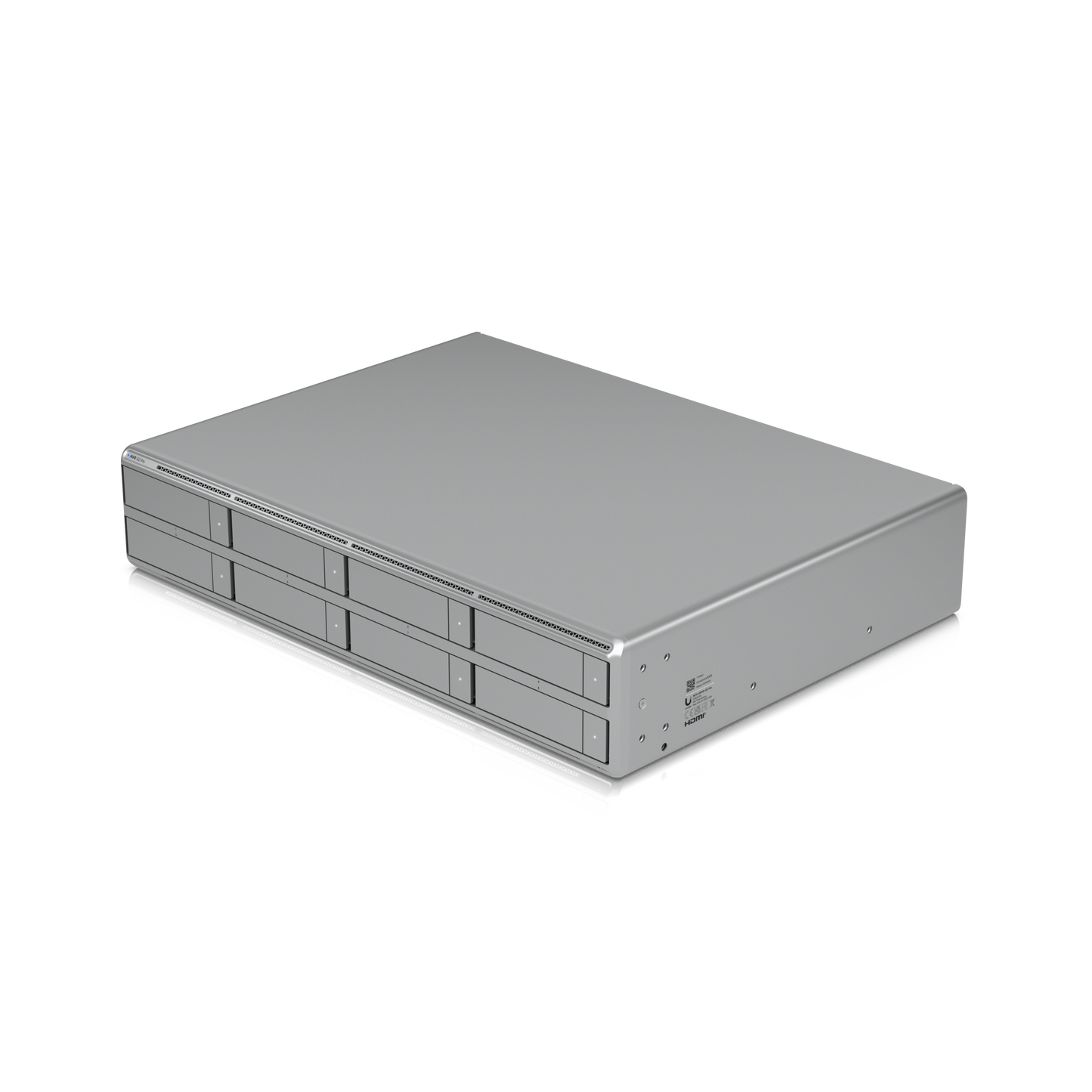
8-Bay 2U NVR, 50 4K Cameras, Edge AI, Zero Licence Fees
2U UniFi Protect NVR with built-in AI event analytics, HDMI output, eight 2.5”/3.5” HDD bays, and support for up to (50) 4K or (100) Full HD cameras.
View Installation GuideCustomer Satisfaction
Check out some recent reviews and customer experiences shared on Trustpilot
The Ubiquiti UNVR-G2-Pro is a 2U rack-mount UniFi Protect network video recorder built for large-scale surveillance. Eight 2.5"/3.5" drive bays, a 10G SFP+ uplink and an eight-core Qualcomm Kryo processor let it record and analyse up to 100 Full HD, 70 2K or 50 4K cameras — with AI event analytics running on the appliance itself, no per-camera licence fees, and no cloud subscription.
Key features
- Up to 50 x 4K cameras — or 70 x 2K, or 100 x Full HD on a single appliance.
- Eight 2.5"/3.5" drive bays — HDD or SSD, with RAID data protection.
- Built-in AI event analytics — smart detections and search processed on-device.
- 10G SFP+ + 2.5 GbE RJ45 — headroom for dozens of high-bitrate streams.
- HDMI output — drive a wall display directly, no separate viewing PC.
- Runs Protect, Access and Connect — video, doors and displays on one console.
- Redundant power ready — USP-RPS DC input alongside the internal 200 W PSU.
- NDAA compliant — approved for government, education and defence-adjacent projects.
- 2U rack-mount, SGCC steel chassis — 442.4 x 87.4 x 325 mm, 8.4 kg.
Record and analyse up to 50 4K cameras on one appliance
The UNVR-G2-Pro is the highest-capacity recorder in the UniFi Protect NVR range. It manages 100 HD, 70 2K or 50 4K cameras, which makes it a fit for a full site rather than a single building — warehouses, schools, multi-storey offices, retail chains, car parks and logistics yards.
Because capacity scales by resolution rather than by licence tier, you can mix G5, G6 and AI-series cameras across the same recorder and rebalance later without buying anything extra. Every camera you add is a camera you own outright.
On-device AI event analytics — no cloud, no subscription
An eight-core Qualcomm Kryo CPU built on 4 nm Arm Cortex technology (one 3.2 GHz prime core, four 2.8 GHz performance cores, three 2.0 GHz efficiency cores) with 16 GB of memory does the analytics work locally. That means person, vehicle and animal detection, licence plate reading and smart search run inside your network, on your hardware.
Practically, this matters in three ways: footage never leaves the site unless you send it, there is no recurring analytics bill, and detection keeps working when the internet link drops.
Eight drive bays with RAID data protection
Eight 2.5" or 3.5" bays accept standard SATA HDDs or SSDs, with a 155 W drive power budget so you can populate all eight with full-size surveillance drives. RAID-based redundancy protects the array against a single drive failure — a genuine requirement when footage is evidence and retention is a compliance obligation.
Drives are not included. Pair the UNVR-G2-Pro with surveillance-rated drives such as WD Purple or Seagate SkyHawk, which are built for the continuous write cycles that CCTV produces. Desktop drives will work, but they will not last.
Sizing rule of thumb: multiply your camera count by your average bitrate by your retention days.
10G SFP+ networking so the uplink is never the bottleneck
The recorder pairs a 10G SFP+ port with a 2.5 GbE RJ45 port. On a 50-camera 4K deployment, gigabit uplinks are the usual failure point — streams stutter, playback scrubs badly, and exports crawl. A 10G fibre or DAC link into your aggregation switch removes that constraint entirely.
HDMI viewport for live wall displays
An integrated HDMI output drives a monitor or video wall directly from the recorder, showing up to 16 simultaneous 4K viewport streams. Reception desks, security offices and control rooms get a live view without a dedicated viewing workstation or a separate Protect Viewport device.
One console for video, door access and displays
The UNVR-G2-Pro is a UniFi OS console, not a single-purpose recorder. Alongside UniFi Protect, it runs UniFi Access as a controller for 150+ access hubs, and supports UniFi Connect for digital signage and room displays.
For an integrator, that is one appliance, one interface and one support surface instead of three. Door-forced-open events sit in the same timeline as the camera footage that captured them.
Software requirements: UniFi Protect 7.1.55 or later; UniFi Access 4.2.16 or later.
Built for continuous duty
- 200 W internal AC/DC PSU with universal 100–240 V AC input (3 A max, 50/60 Hz).
- USP-RPS 11.5 V DC input for redundant power — a second supply path if the primary fails.
- SGCC steel enclosure and rack ears.
- Status LEDs for Ethernet, SFP+, RPS, each HDD and system state.
- 0–40 °C operating range, 5–95% non-condensing humidity.
- Certified CE, FCC, IC and NDAA compliant.
Who the UNVR-G2-Pro is for
| Deployment | Why it fits |
|---|---|
| Schools and universities | High camera counts, NDAA compliance, no per-camera licensing across many buildings |
| Warehousing and logistics | 4K coverage of large open spaces; long retention on eight bays |
| Multi-tenant and commercial buildings | Protect plus Access on one console; HDMI feed to the lobby desk |
| Retail groups | Consistent hardware per site, managed remotely from one place |
| Government and council | NDAA compliance and fully on-premise analytics |
Datasheet, Deployment & Features


Specification
| Overview | |
| Dimensions | 442.4 x 87.4 x 325 mm (17.4 x 3.4 x 12.8") |
| Managed Cameras | (100) HD, (70) 2K, (50) 4K |
| Max. Simultaneous Viewport Streams | 16 4K cameras |
| Managed Access Hubs | 150+ |
| Storage Capacity | (8) 2.5/3.5" drive bays |
| Data Protection | ✓ |
| Networking Interface | (1) 10G SFP+ port, (1) 2.5 GbE RJ45 port |
| Power Redundancy | ✓ |
| Form Factor | Rack Mount (2U) |
| Door Access Support | ✓ |
| Management Application | UniFi Protect, UniFi Access, UniFi Connect |
| Hardware | |
| Hard Drive Capacity | (8) 2.5/3.5" HDD / SSD support |
| Max. Power Budget for Drives | 155W |
| Max. Power Consumption | 200W |
| Power Method | (1) Universal AC input, 100–240V AC, 3A Max., 50/60 Hz; (1) USP-RPS DC input, 11.5V DC |
| Power Supply | AC/DC, Internal PSU, 200W |
| Processor | Qualcomm® Kryo™ CPU built on Arm® Cortex® technology (4 nm) (1) Prime core (3.2 GHz) (4) Performance cores (2.8 GHz) (3) Efficiency cores (2.0 GHz) |
| Memory | 16 GB |
| Management | Ethernet, Bluetooth |
| Weight | 8.4 kg (18.5 lb) |
| Enclosure Material | SGCC steel |
| Mount Material | SGCC steel |
| LEDs | |
| Ethernet | ✓ |
| SFP+ | ✓ |
| RPS | ✓ |
| HDD | ✓ |
| System | ✓ |
| Ambient Operating Temperature | 0 to 40° C (32 to 104° F) |
| Ambient Operating Humidity | 5 to 95% noncondensing |
| NDAA Compliant | ✓ |
| Certifications | CE, FCC, IC |
| Software | |
| Application Requirements | |
| UniFi Protect | Version 7.1.55 or later. |
| UniFi Access | Version 4.2.16 or later. |
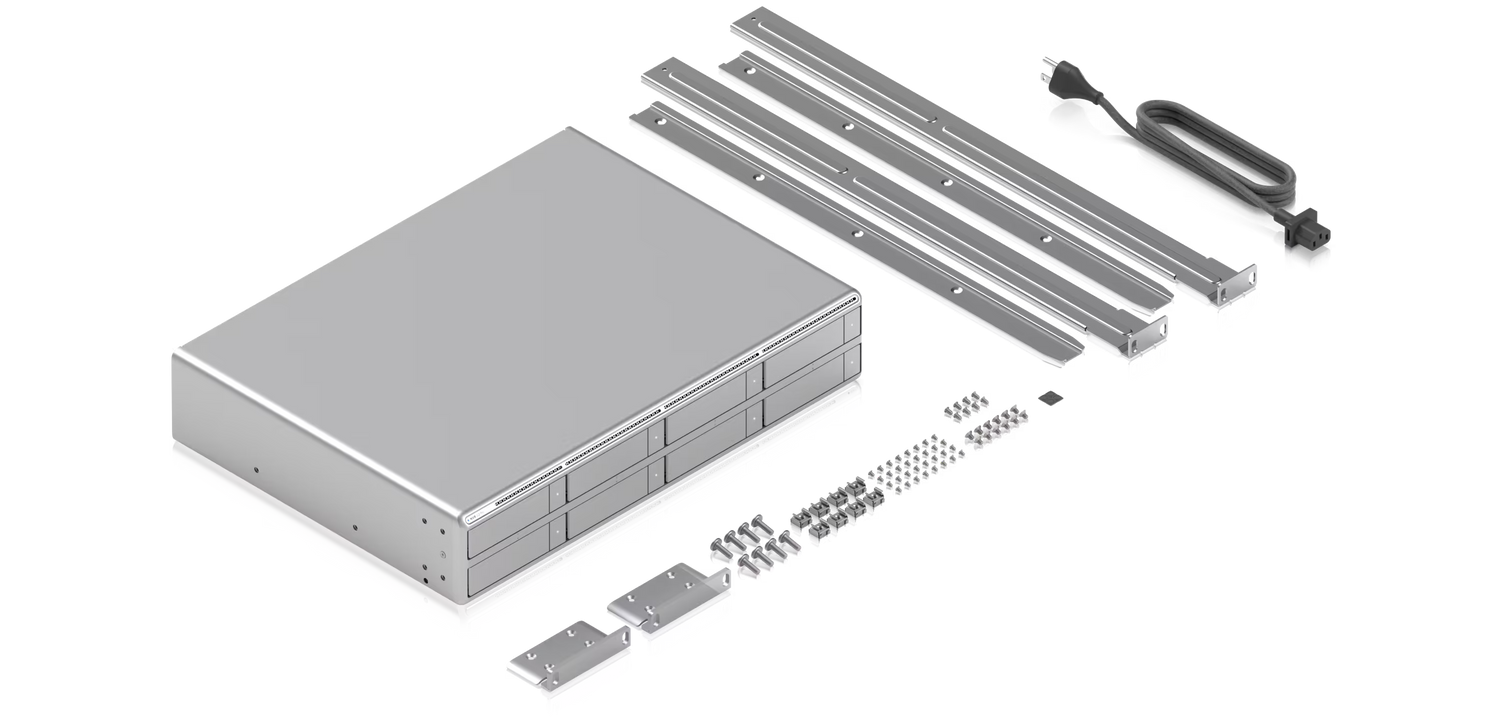
What's In The Box
Frequently Asked Questions
What’s the difference between Network Video Recorder G2 Pro and Network Video Recorder
Network Video Recorder G2 Pro is designed for larger deployments, offering 8 drive bays for greater storage capacity, higher camera capacity, and integrated Edge AI.
Does the Network Video Recorder G2 Pro support UniFi Access?
Yes. The Network Video Recorder G2 Pro supports UniFi Access, allowing you to manage cameras and physical door access from a single device.
Can Network Video Recorder G2 Pro be used to migrate an existing UniFi Protect setup?
Yes. The Network Video Recorder G2 Pro supports migration from existing UniFi Protect deployments. The migration process may vary depending on system configuration, backup availability, and software version.
Learn more: Backups and Migration in UniFi, Migrating Cameras Between NVRs
How do AI capabilities differ between Network Video Recorder G2 Pro, AI Key, and AI Port?
The Network Video Recorder G2 Pro includes built-in Edge AI functionality:
- Natural Language Search.
- Object Indexing in Find Anything.
- Person ReID.
- Search by Image.
Can I add an AI Key to Network Video Recorder G2 Pro?
Yes. For demanding deployments with busy cameras, adding one or more AI Keys is rec ommended to expand the processing capacity of the system. This will reduce Edge AI latency and ensure no events are missed.
AI Key also provides AI Summaries, speech transcription, and support for face and license plate recognition on G4 and G5 cameras.
Can I add AI Port to Network Video Recorder G2 Pro?
Yes. AI Port provides smart detections, face and license plate recognition on third party cameras as well as legacy UniFi cameras.
Learn more: Protect AI Port FAQs
Does the Network Video Recorder G2 Pro include an integrated Viewport for Protect?
Yes. The Network Video Recorder G2 Pro includes an integrated Viewport via its HDMI port. You can configure a multi-view in Protect and assign it to the Viewport for live monitoring of selected cameras.
How does the Network Video Recorder G2 Pro ensure smooth performance with multiple 4K cameras?
The Network Video Recorder G2 Pro features 10G SFP+ and 2.5 GbE RJ45 connectivity to handle high data throughput, ensuring smooth recording and multi-user playback. It supports deployments of up to (50) 4K, (70) 2K, or (100) HD cameras.
Are rack rails required for mounting Network Video Recorder G2 Pro?
For safe installation, the included rack rails or UniFi Sliding Rack Rails are recommended. While the mounting ears can support the device itself, the total weight increases significantly when hard drives are installed. For installations in 2-post racks that do not support rails, use a rack shelf to provide additional support from below.
For mounting instructions, see the Installation Guide.
Buying for your business? Get special pricing and bulk discounts! Enquire about this product including its specification, customisation options and stock availability.
- Choosing a selection results in a full page refresh.
- Opens in a new window.