


UniFi 5G Max 3.4 Gbps Modem
UniFi 5G Max 3.4 Gbps Modem
SKU:U5G-Max
Sale Live Now. Limited promotional stock available — don’t miss out!
205 in stock and ready to ship
Couldn't load pickup availability
Australian Reseller | Australian Stock | Australian Warranty
Found it cheaper elsewhere? Let us know
Buying for your business? Earn Store Credits


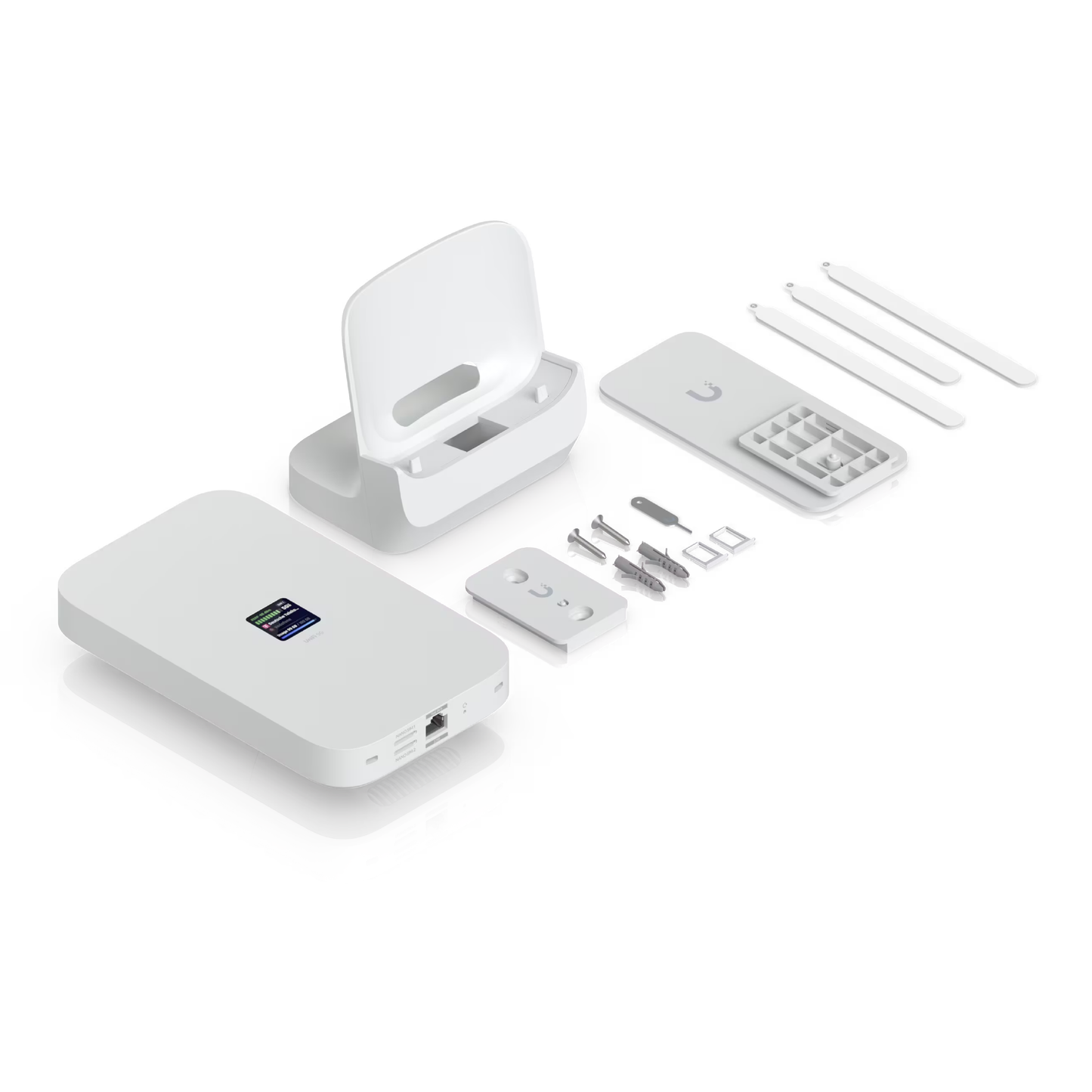
A high-performance 5G (3.4 Gbps) modem for any UniFi deployment. Instantly adopt through any UniFi PoE port, it delivers automatic setup, dual SIM/eSIM, and seamless failover.
View Installation GuideCustomer Satisfaction
Check out some recent reviews and customer experiences shared on Trustpilot
UniFi 5G Max
A high-performance 5G (3.4 Gbps) modem for any UniFi deployment. Instantly adopt through any UniFi PoE port, it delivers automatic setup, dual SIM/eSIM, and seamless failover.
-
 Cellular: 5G NR and LTE radio
-
 Carrier Support: Unlocked
-
 WiFi
WiFi
-
 (1) 2.5 GbE RJ45 port
-
 Power Method: PoE
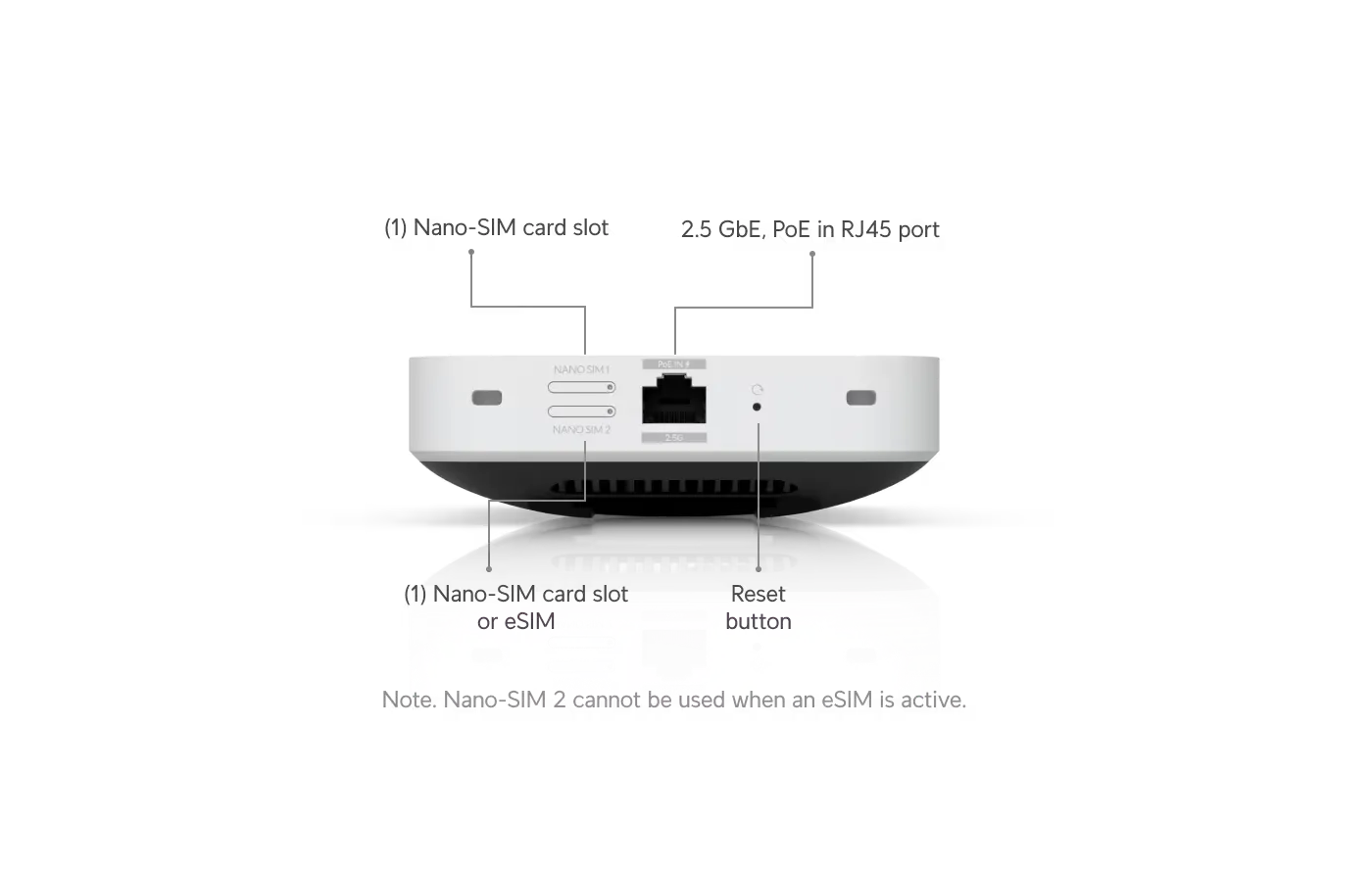
Note: Nano-SIM 2 cannot be used when an eSIM is active.
Introducing UniFi 5G
The UniFi 5G Max lineup was created with a clear goal in mind: deliver a sleek, versatile, and exceptionally powerful 5G internet experience that works effortlessly in any environment.
Simple Setup and Clean Design
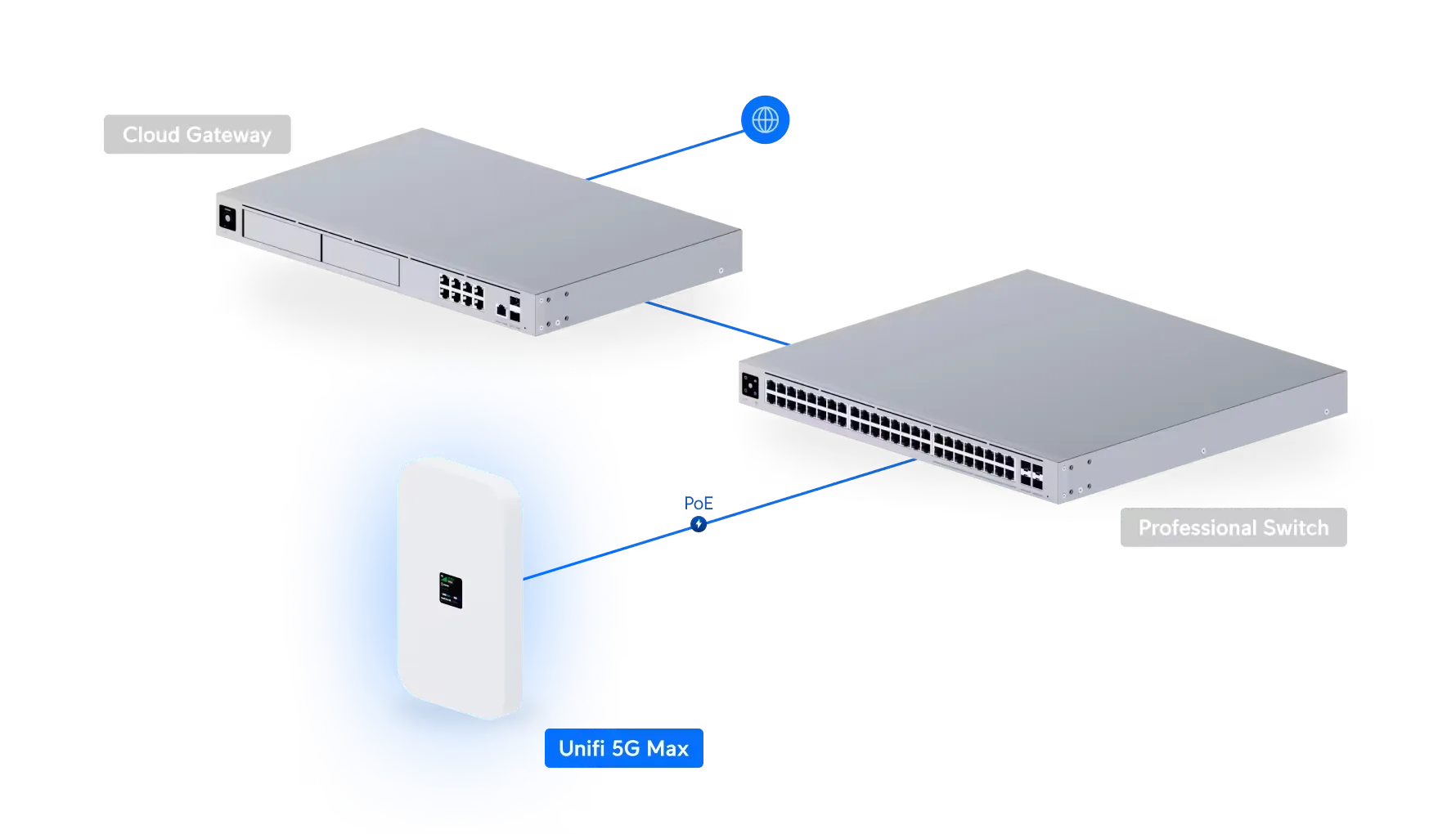
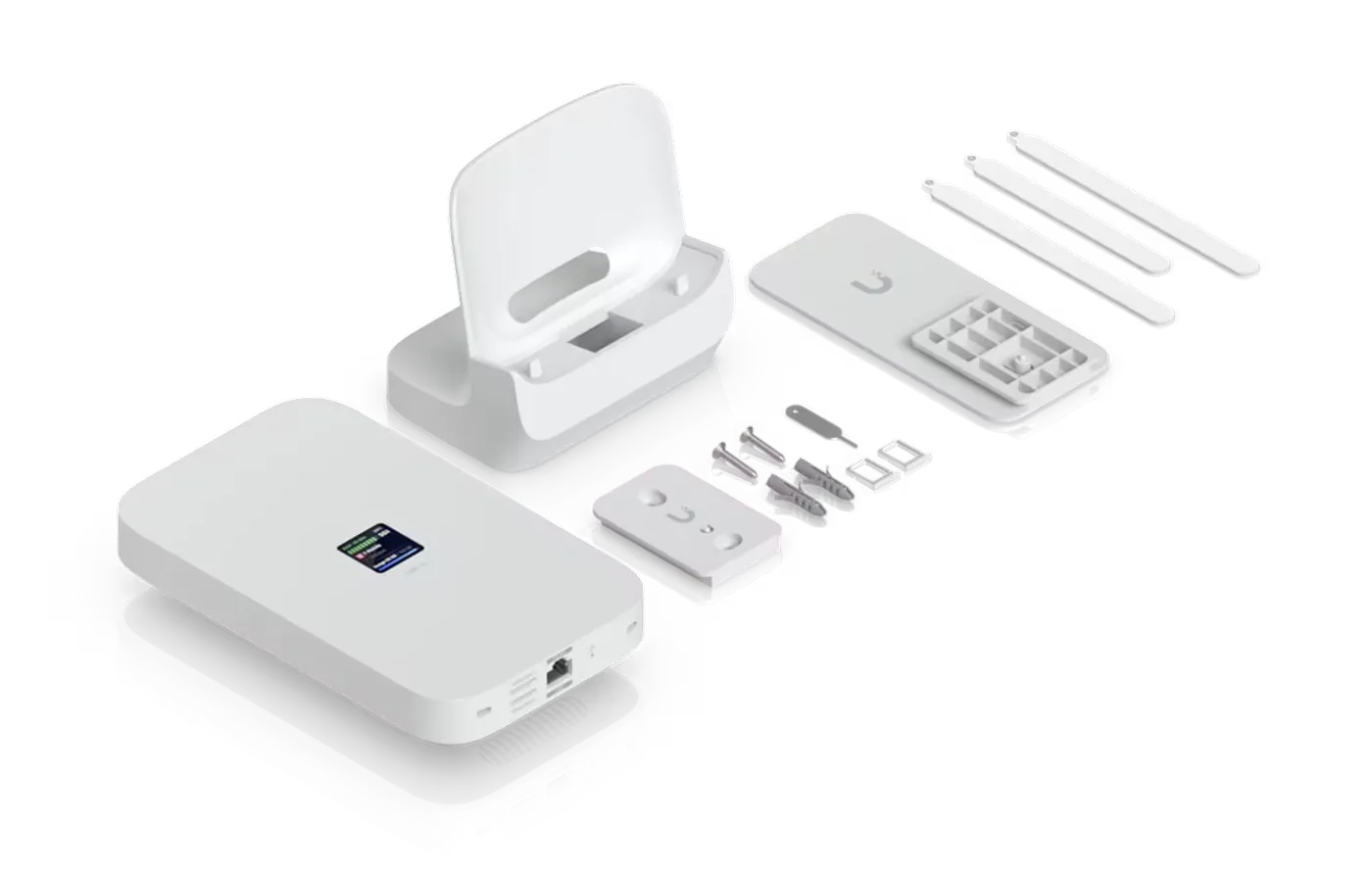
The UniFi 5G Max makes deployment easy, whether installed locally or at a remote site. Plug it into any PoE port and it instantly appears as a ready to use WAN interface, no matter whether plugged directly into your UniFi gateway or into your office switch. No new cable runs needed! It sits neatly on a desk, but you can reposition it for the best possible signal using the included wall or window mount.
Ultra-Flexible Connectivity for Any Network Role
The 5G Max delivers downlink speeds up to 2 Gbps with ultra low latency that makes it reliable as a primary connection and seamless as a backup WAN. UniFi routing policies and SLAs let you choose exactly how and when 5G is used, and for which clients and VLANs. Easily set per-SIM usage limits to avoid overage costs with just a few clicks.
Fully Unlocked for Maximum Carrier Flexibility
Every device in the UniFi 5G lineup supports both physical SIMs and eSIM, giving you the freedom to choose your carrier and switch whenever needed with zero friction. All are equipped with dual SIM slots, with one SIM replaceable by eSIM, and are fully unlocked: any major carrier, any type of deployment, with one piece of hardware.

Deployment & Features


Specification
| Overview | |
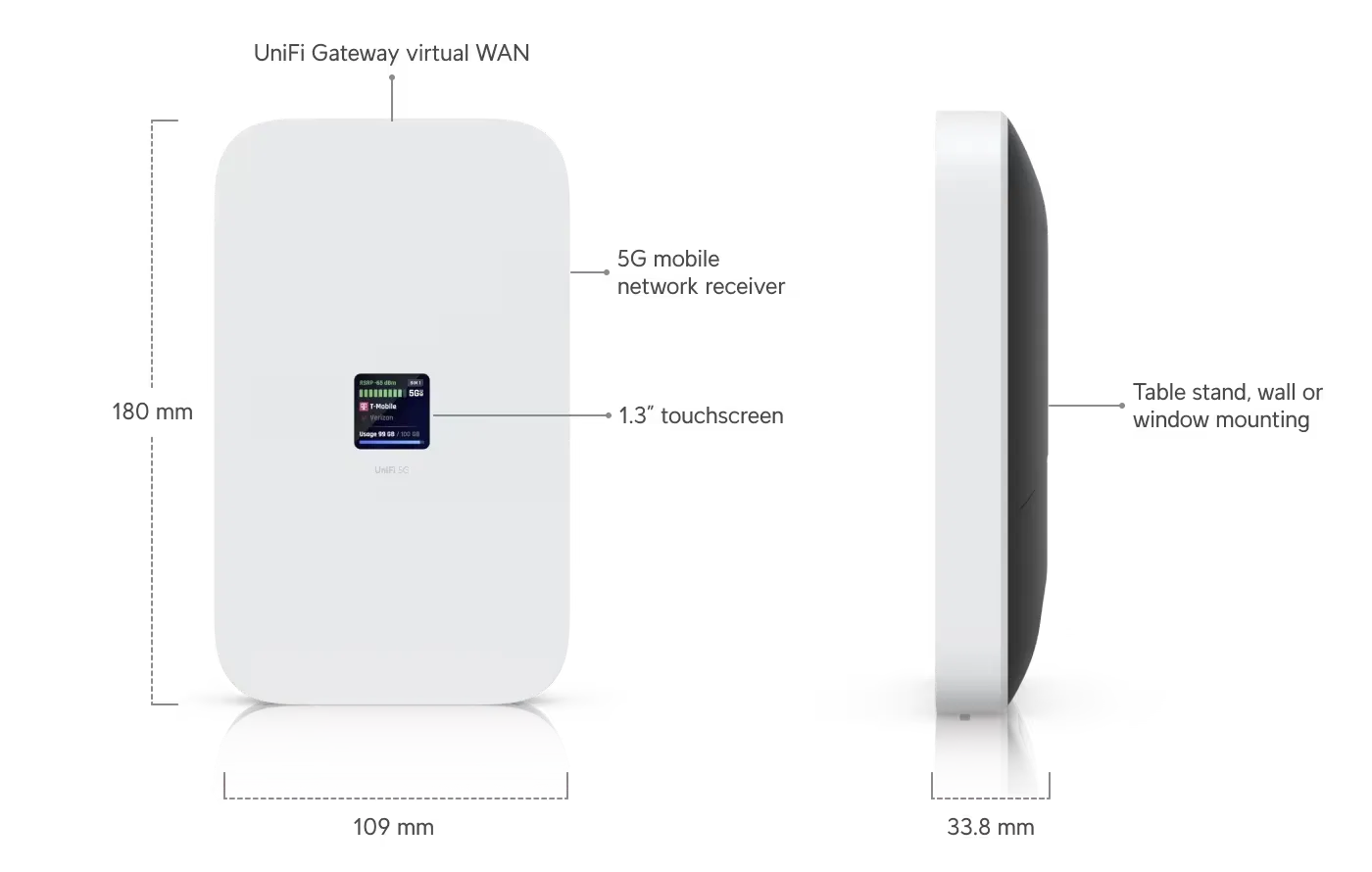
| Dimensions | 180 x 109 x 33.8 mm (7.1 x 4.3 x 1.3") |
| Networking Interface | (1) 2.5 GbE RJ45 port, 5G NR and LTE radio |
| SIM | (1) Nano SIM, (1) Nano-SIM or eSIM |
| PoE Interface | (1) PoE input |
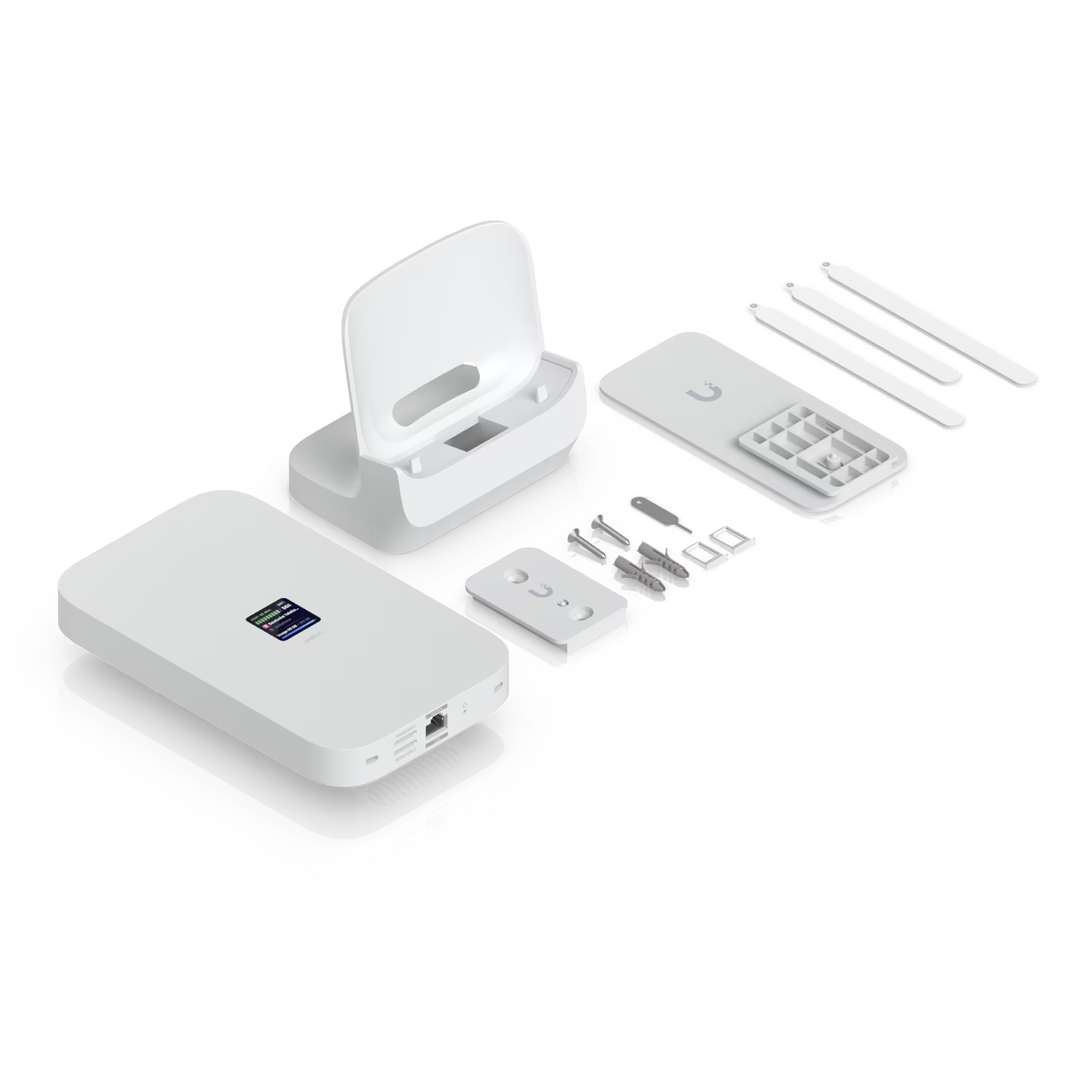
| Mounting | Desktop stand, wall, window mount (Included) |
| Tamper Resistance | IK04 |
| Mechanical | |
| Weight | Device: 410 g (14.5 oz) Stand: 215 g (7.6 oz) Wall mount: 7.6 g (0.3 oz) Window mount: 20 g (0.7 oz) |
| Enclosure Material | Polycarbonate, aluminum alloy |
| Mount Material | Polycarbonate, silicone rubber |
| Hardware | |
| Management | Ethernet |
| 5G NR | |
| Category | 5G NR |
| Frequency Bands | n1, n2, n3, n5, n7, n8, n12, n13, n14, n18, n20, n25, n26, n28, n29, n30, n38, n40, n41, n48, n66, n71, n75, n76, n77, n78, n79 |
| Max. TX Power | HPUE power class 2: 26 dBm |
| 4G LTE | |
| Frequency Bands | B1, B2, B3, B4, B5, B7, B8, B12, B13, B14, B17, B18, B19, B20, B25, B26, B28, B29, B30, B32, B34, B38, B39, B40, B41, B42, B43, B46, B48, B66, B71 |
| Max. TX Power | HPUE power class 2: 25 dBm |
| 3G UMTS | |
| Frequency Bands | B1, B2, B4, B5, B8, B19 |
| Peak Data Speed | |
| 5G NSA | Downlink 3.4 Gbps / Uplink 560 Mbps |
| 5G SA | Downlink 1.8 Gbps / Uplink 650 Mbps |
| 4G LTE | Downlink 1.6 Gbps / Uplink 210 Mbps |
| Antennas | |
| Type | (4) Embedded cellular antennas |
| Max. Power Consumption | 14.5W |
| Power Method | PoE |
| Display | 1.3" touchscreen |
| Buttons | (1) Factory reset |
| Ambient Operating Temperature | 0 to 40 °C (32 to 104 °F) |
| Ambient Operating Humidity | 5 to 95% noncondensing |
| NDAA Compliant | ✓ |
| Certifications | FCC, IC, CE, PTCRB, GCF, AT&T, T-Mobile |
| Software | |
| Application Requirements | |
| UniFi Network | Version 10.0.162 and later |
What's In The Box
Frequently Asked Questions
What is UniFi 5G Max?
UniFi 5G Max is a high-performance 5G modem designed to enhance any UniFi Cloud Gateway or UniFi Gateway with reliable cellular connectivity. It supports dual SIM, with a secondary physical or eSIM, enabling seamless failover for critical applications.
How do I power on the UniFi 5G Max?
The power method depends on how the device is connected:
- For LAN Connections: Power the device using any PoE switch or a PoE adapter (not included).
- For WAN Connections: Power the device using PoE adapter (not included). Please ensure a direct connection to your gateway.
Does UniFi 5G Max support eSIM?
Yes. UniFi 5G Max supports eSIM, allowing you to connect to supported carriers without a physical SIM card. Please refer to the Setup Guide for instructions on activating the eSIM for the UniFi 5G Max.
How many SIM cards can UniFi 5G Max use?
UniFi 5G Max supports dual SIM functionality with flexible options. It can operate in Dual SIM Single Standby (DSSS) mode, where only one SIM is active at a time:
- Option 1: (1) external SIM (SIM1) + (1) embedded eSIM (SIM2).
- Option 2: (2) external SIMs (SIM1 and SIM2).
This setup enables automatic failover, ensuring your connection stays reliable.
Can UniFi 5G Max work as a standalone device?
No, UniFi 5G Max must be adopted by a UniFi Cloud Gateway or UniFi Gateway and cannot function independently.
What is the difference between UniFi 5G Max and UMR series?
UniFi 5G Max is a LTE/5G modem that connects to a UniFi Gateway via any LAN port and directly passes the provider's IP to the gateway. UMR Series (UniFi Mobile Routers) are LTE-to-Wi-Fi routers that work standalone, allowing direct device connections without a UniFi Gateway.
Choose UniFi 5G Max if you need reliable, high-performance WAN connectivity for your UniFi network and want seamless backup internet without interrupting your IP assignments. Opt for a Mobile Router for small deployments or low-traffic scenarios, such as a small office, kiosk, or home setup where a few devices need LTE internet access via Wi-Fi.
When should I adopt UniFi U5G Max on a WAN port?
For most installations, LAN adoption provides the greatest flexibility for physical placement and wired connectivity, while still supporting Teleport for remote VPN access on most carriers. WAN adoption is recommended when your cellular carrier assigns a public IP and you need remote access to services hosted behind your Cloud Gateway, such as a VPN server.
To adopt on WAN, connect the UniFi U5G Max to a PoE injector or a remapped PoE WAN port on the Cloud Gateway, then complete adoption in UniFi Network or the UniFi mobile app.
Buying for your business? Get special pricing and bulk discounts! Enquire about this product including its specification, customisation options and stock availability.
- Choosing a selection results in a full page refresh.
- Opens in a new window.