


UniFi Device Bridge IoT
UniFi Device Bridge IoT
SKU:UDB-IoT
Sale Live Now. Limited promotional stock available — don’t miss out!
Out of stock
Couldn't load pickup availability
Australian Reseller | Australian Stock | Australian Warranty
Found it cheaper elsewhere? Let us know
Buying for your business? Earn Store Credits


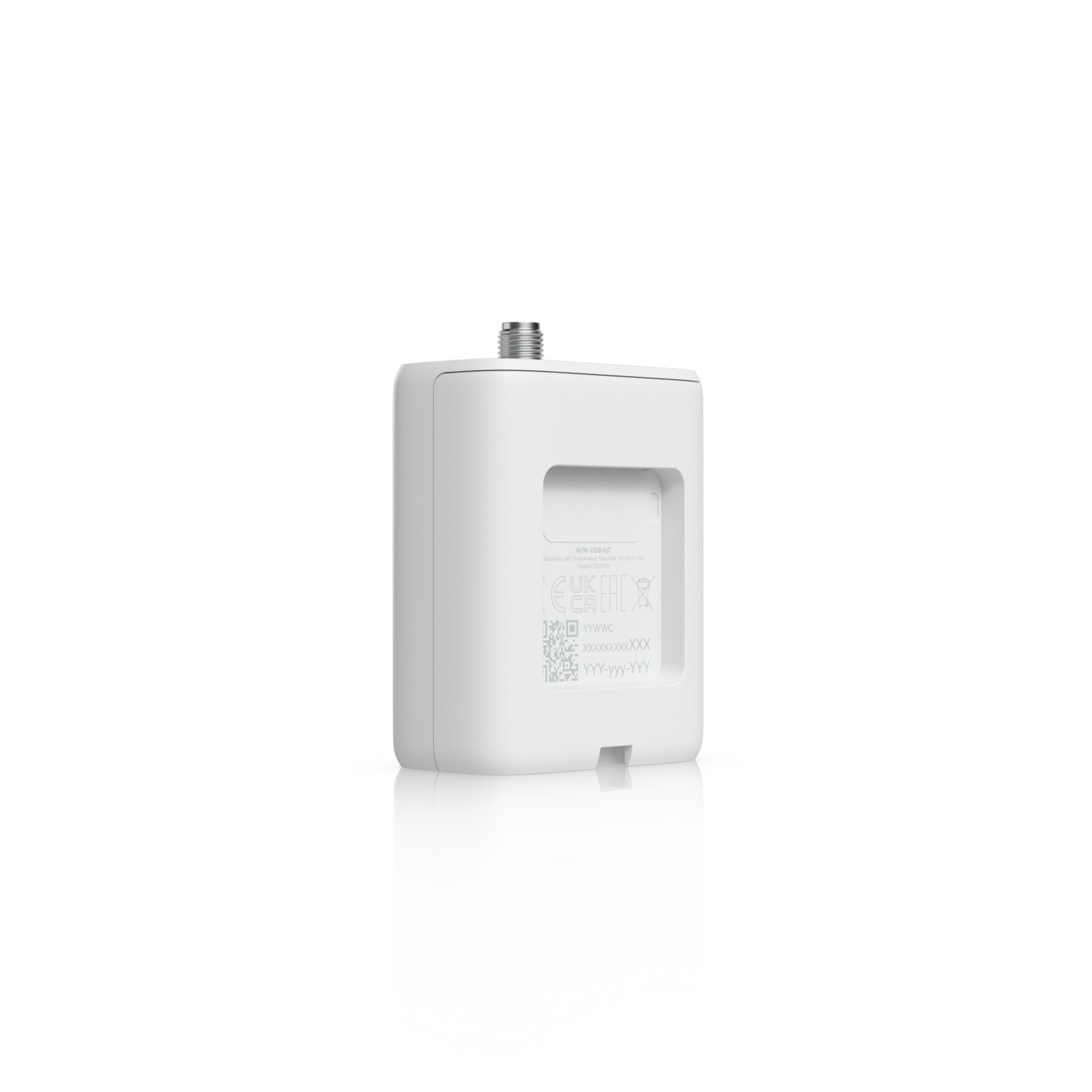
Bridge Any Wired Device Onto Your UniFi WiFi Network
Ultra-compact wireless bridge for IoT devices with integrated UniFi WiFi Auto-Link, versatile mounting options, and powered by USB Type-C or 4-pin DC socket.
Note. Full VLAN functionality is available on Access Points running Early Access (EA) firmware.
View Installation GuideCustomer Satisfaction
Check out some recent reviews and customer experiences shared on Trustpilot
The Ubiquiti UDB-IoT UniFi Device Bridge IoT is a pocket-sized wireless bridge built for the devices that never quite justify a cable run. Plug an Ethernet-only sensor, controller, printer, or panel into its RJ45 port and the UDB-IoT carries that traffic over your existing UniFi WiFi — no trenching, no conduit, no waiting on a cabler.
At 63 x 44.5 x 25.5 mm and 45 g, it disappears inside a control cabinet, behind a kiosk, or on a DIN rail alongside your PLCs. Because it uses UniFi WiFi Auto-Link, pairing is handled for you: the bridge finds your UniFi network and adopts into the UniFi Network application, where it sits alongside the rest of your infrastructure for monitoring and management.
The UDB-IoT is purpose-built for device connectivity, not long-distance links. If you need a kilometre-scale point-to-point shot, look at the Device Bridge Pro instead. If you need to get a wired widget onto WiFi cleanly and cheaply, this is the one.
Key features
Bridges any Ethernet device onto UniFi WiFi
A single 10/100 Mbps RJ45 port turns almost any wired device into a wireless UniFi endpoint — ideal for kit that shipped with Ethernet and nothing else.
UniFi WiFi Auto-Link for fast deployment
No manual SSID entry or channel planning. The bridge links to your UniFi WiFi automatically and appears in UniFi Network for central management, so a site tech can deploy one without touching a config file.
Wall or DIN rail mounting included
The supplied mount handles both wall surfaces and standard DIN rail, so the same SKU works in a comms cupboard, an automation cabinet, or a retail fit-out.
Dual power inputs for awkward installs
Run it from USB Type-C (5V DC, 1A) off a nearby charger or USB port, or feed it from a 4-pin DC socket accepting 9–30V DC to tap existing industrial power rails. Peak draw is just 2.3 W.
Internal and external antenna options
A 4 dBi internal antenna covers most placements. Where the enclosure is metal or the AP is further away, screw the included 3 dBi omni antenna onto the RP-SMA connector to recover signal.
Signal strength you can read from the doorway
Four blue signal LEDs plus a white/blue status indicator let installers verify placement on the spot, without opening a laptop.
2x2 MIMO WiFi 4 with always-on encryption
2.4 GHz 802.11n, two spatial streams, up to 300 Mbps at 40 MHz channel width, secured with WPA2 AES that cannot be switched off.
NDAA compliant
Certified CE, FCC and IC, and NDAA compliant for government, defence-adjacent, and regulated procurement.
Where the UDB-IoT fits
- Industrial and automation — DIN rail mounting inside control cabinets for PLCs, HMIs, and gateways.
- Warehousing and logistics — label printers, scales, scanners, and access panels away from the comms room.
- Retail and hospitality — POS peripherals, digital signage players, and kiosks in fit-outs where cabling is off-limits.
- Smart buildings — BMS controllers, energy meters, lift panels, and sensors in retrofit projects.
- Heritage and leased premises — anywhere you cannot legally or practically drill.
- Temporary deployments — events, pop-ups, construction site offices, and trade stands.
Requirements and compatibility
The UDB-IoT connects to an existing UniFi WiFi network and is managed through the UniFi Network application. Keep your UniFi console and access points on current firmware for the smoothest adoption.
Note on VLANs: full VLAN functionality requires access points running Early Access (EA) firmware. If VLAN segmentation of bridged IoT traffic is essential to your design, confirm your AP firmware track before ordering.
Datasheet, Deployment & Features


Specification
| Overview | |
| Dimensions | Device: 63 x 44.5 x 25.5 mm (2.5 x 1.8 x 1") With external antenna: 89 x 44.5 x 25.5 mm (3.5 x 1.8 x 1") |
| WiFi Standard | WiFi 4 |
| Spatial Streams | 2 |
| Mounting Locations | Wall, DIN rail |
| Mounting | Included mount |
| Power Method | USB Type-C (5V DC, 1A), 4-pin DC (9–30V DC) |
| Performance | |
| MIMO | |
| 2.4 GHz | 2 x 2 |
| Max. Data Rate | |
| 2.4 GHz | 300 Mbps (BW40) |
| Antenna Gain | |
| 2.4 GHz | Internal: 4dBi / External omni: 3dBi |
| Max. TX Power | |
| 2.4 GHz | 20 dBm |
| Max. Conducted TX Power | 20 dBm (Combined) |
| Supported Data Rates | |
| 802.11n | 6.5 Mbps to 300 Mbps (MCS0 - MCS15, HT 20/40) |
| Wireless Security | WPA2 AES (Always On) |
| Hardware | |
| Max. Power Consumption | 2.3W |
| Supported Voltage Range | USB-C: 5V DC; Socket: 9–30V DC |
| Networking Interface | (1) 10/100M RJ45 port |
| Antennas | (1) Internal antenna, (1) RP-SMA connector for external omni-antenna |
| Management | WiFi |
| Channel Bandwidth | 20/40 MHz |
| Weight | Device: 45 g (1.6 oz); With external antenna: 53 g (1.9 oz) |
| Enclosure Material | Polycarbonate |
| Mount Material | Polycarbonate |
| Button | (1) Factory reset |
| LEDs | |
| System | (4) Blue: signal; (1) White/blue: indicator |
| NDAA Compliant | ✓ |
| Certifications | CE, FCC, IC |
| Ambient Operating Temperature | -10 to 50° C (14 to 122° F) |
| Ambient Operating Humidity | 5 to 95% noncondensing |
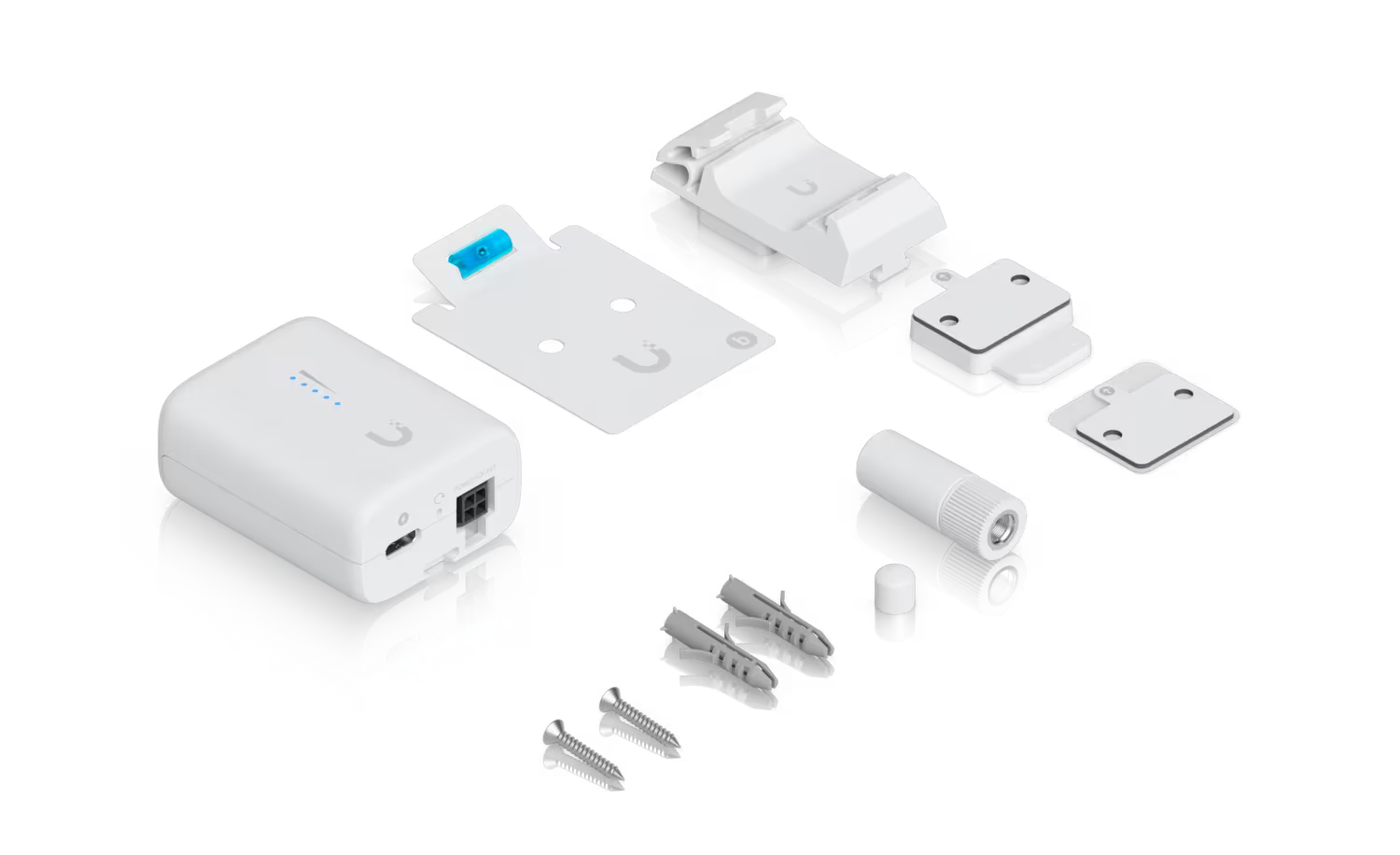
What's In The Box
Frequently Asked Questions
When should I use the Device Bridge IoT instead of the Device Bridge?
Use the Device Bridge IoT for low-data-rate wired devices, such as wired printers or sensors. For high-bandwidth applications, including UniFi cameras, opt for the PoE-enabled Device Bridge.
How can I power the Device Bridge IoT?
The Device Bridge IoT can be powered via its USB Type-C port or 4-pin DC power socket. Please note that a power adapter is not included in the box.
How can I mount the Device Bridge IoT?
The Device Bridge IoT can be mounted using its included mount or directly to a DIN rail.
What band is used for the Wi-Fi Auto Link Connection?
The UniFi WiFi Auto-Link connection uses the 2.4 GHz band for the Device Bridge IoT, and the 5 GHz band for the PoE-enabled Device Bridge.
Buying for your business? Get special pricing and bulk discounts! Enquire about this product including its specification, customisation options and stock availability.
- Choosing a selection results in a full page refresh.
- Opens in a new window.