


UniFi G6 Entry PoE+ Doorbell
UniFi G6 Entry PoE+ Doorbell
SKU:UVC-G6-Entry
Sale Live Now. Limited promotional stock available — don’t miss out!
152 in stock and ready to ship
Couldn't load pickup availability
Australian Reseller | Australian Stock | Australian Warranty
Found it cheaper elsewhere? Let us know
Buying for your business? Earn Store Credits


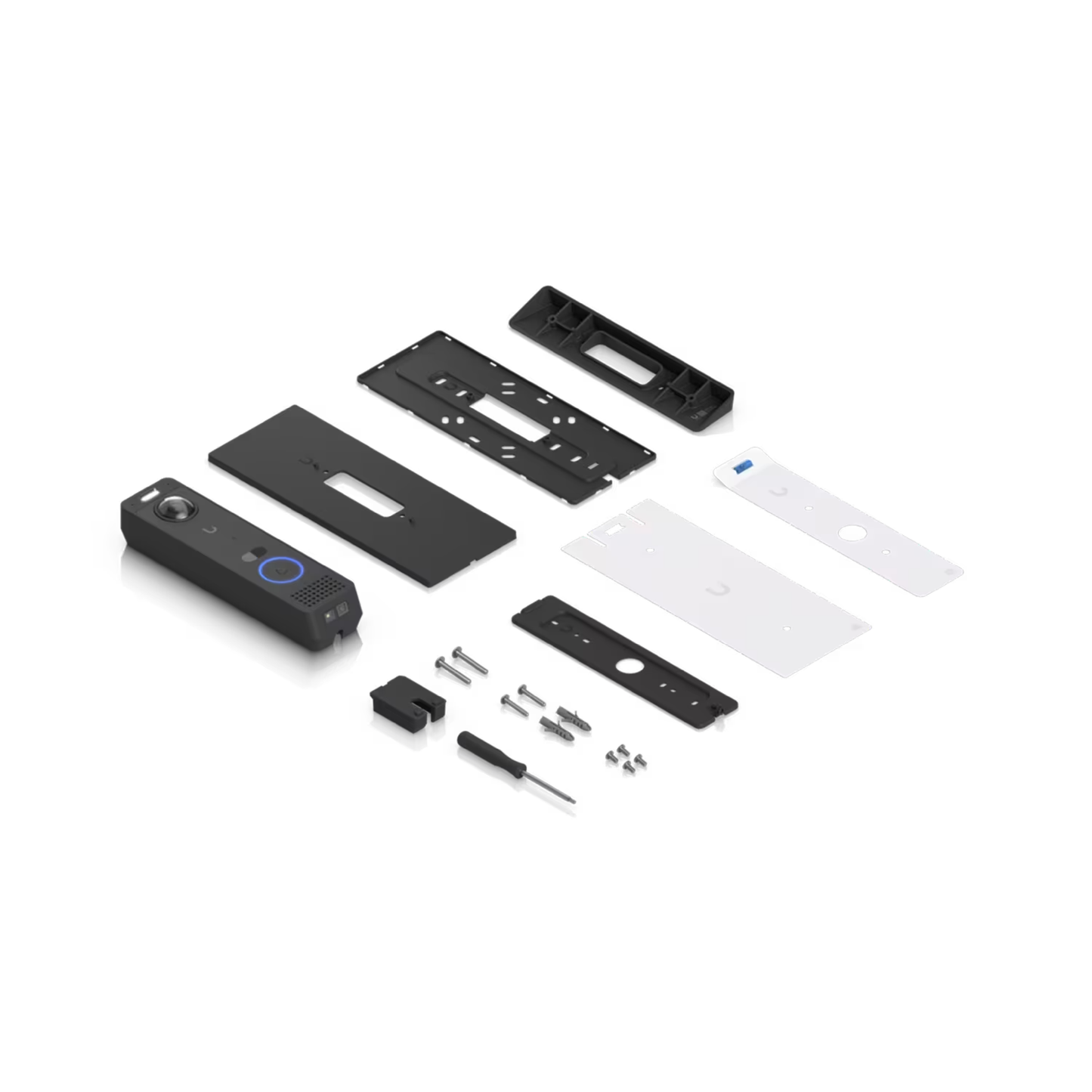
All-weather, PoE+ Doorbell with enhanced AI detections, two-way audio, a secondary package camera, and integrated Access Reader capabilities.
View Installation GuideCustomer Satisfaction
Check out some recent reviews and customer experiences shared on Trustpilot
Specification
| Overview | |
|---|---|
| Dimensions |
176 x 45 x 29.6 mm (6.9 x 1.8 x 1.2″) |
| IR Night Vision | 5 m (16 ft) |
| Face Recognition | ✓ |
| Smart Detections (People, Vehicles, Animals) | ✓ |
| Resolution | 5MP |
| Field of View | H: 100°, V: 135°, D: 180° |
| Audio | Two-way audio |
| Weatherproofing | IP55 |
| Tamper Resistance | IK07 |
| Mounting |
Wall mount, Gangbox mount plate (Included) Junction box, 20° wedge mount (Optional) |
| UniFi Application Suite | Protect: ✓ |
| Performance | |
| Networking Interface | GbE RJ45 port |
| Connectivity |
BLE 4.1 NFC |
| Video |
Image Settings: Color, brightness, sharpness, contrast, white balance, exposure control, 2DNR, 3DNR, NR by motion, masking, text overlay, HDR Max. Frame Rate: Main camera: 30 FPS Package camera: 3 FPS Resolution: Main camera: 5MP, 1920 x 2560 (3:4) Package camera: 8MP 3264 x 2448 (4:3) |
| Optics |
Sensor: Main camera: 5MP CMOS Package camera: 8MP CMOS Lens: Fixed focal length Night Mode: Built-in IR LED illumination and IR cut filter |
| Hardware | |
| Max. Power Consumption | 16W |
| Supported Voltage Range | 42—57V DC |
| Power Method | PoE+ |
| Processor | Quad-core Arm Cortex-A53 based chip |
| Weight | 275 g (9.7 oz) |
| Enclosure Material | Aluminum |
| Mount Material |
Wall mount: Stainless steel Gangbox mount plate: SGCC steel Gangbox mount cover: Polycarbonate |
| Button |
(1) Ring button (1) Factory-reset (1) Tamper switch |
| Ambient Operating Temperature | -30 to 50° C (-22 to 122° F) |
| Ambient Operating Humidity | 5 to 90% noncondensing |
| NDAA Compliant | ✓ |
| Certifications | CE, FCC, IC |
What's In The Box
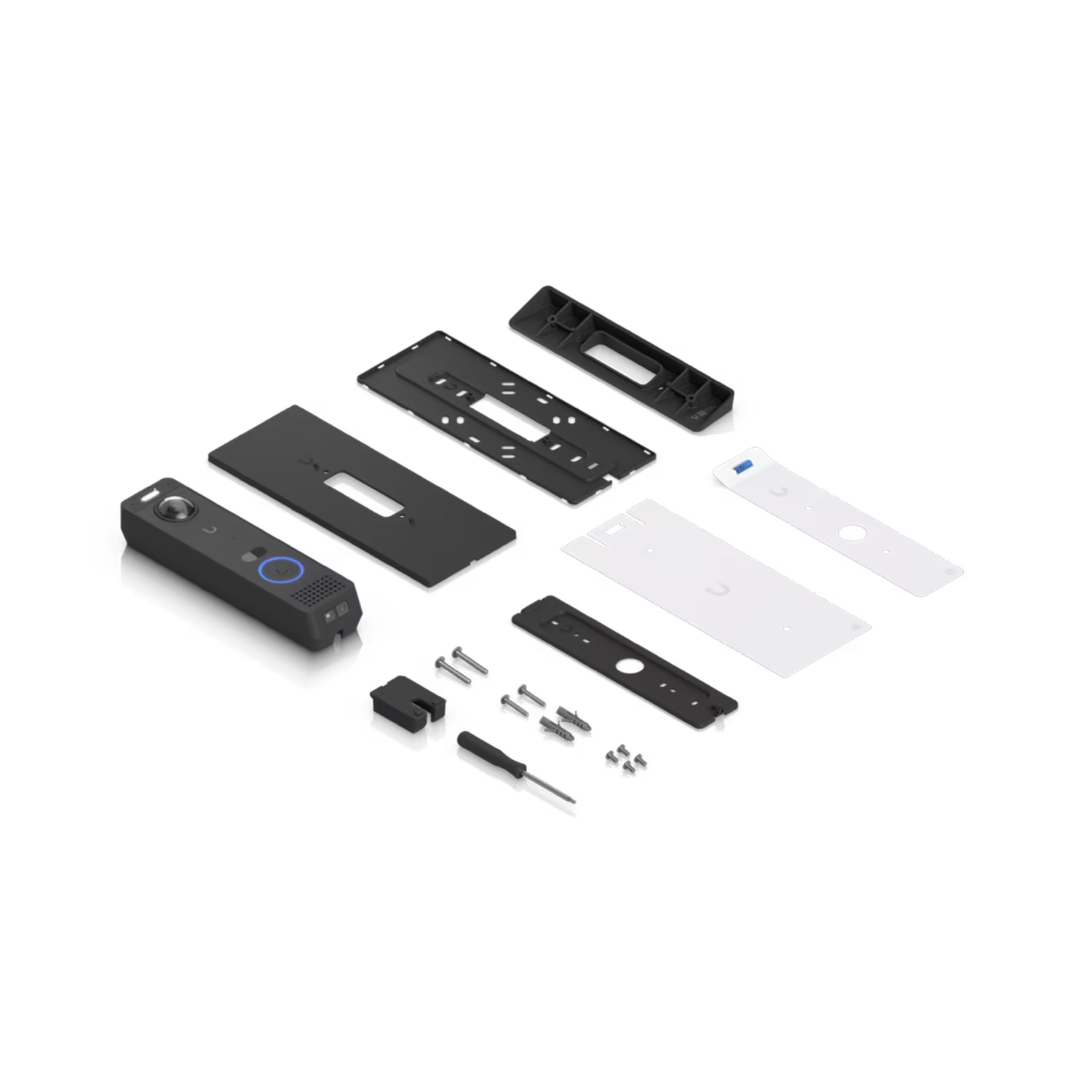
Frequently Asked Questions
Can I use the G6 Entry without an Access Hub?
Yes. The G6 Entry operates as a standalone device and supports all UniFi Protect features when connected to a UniFi Console.
What UniFi Access features are available when the G6 Entry is connected to an Access Hub?
When the G6 Entry is connected to a UniFi Console through an Access Hub, it supports all door access features, including Touch Pass, NFC unlock, Mobile unlock and Face unlock.
It also retains all UniFi Protect features, such as AI Detections, alarm settings, and video recording.
To enable Access Hub door access features, both UniFi Protect and UniFi Access must be installed on the Cloud Console.
How to pair the G6 Entry with an Intercom Viewer as the receiver?
To pair the G6 Entry with an Intercom Viewer as the receiver and enable door access features, the G6 Entry must be connected to a UniFi Access Hub and managed in the UniFi Access application.
- Open the Interface Designer session within the Access application.
- Locate the Intercom Viewers connected to the same UniFi Console.
- Select the desired Intercom Viewer to link it as the receiver.
Do I need UniFi Protect, UniFi Access, or both to use the G6 Entry?
If you use the G6 Entry as a standalone device, you only need the UniFi Protect application.
To enable door access features, connect the G6 Entry to an Access Hub and install both applications — UniFi Protect and UniFi Access.
Does the G6 Entry support the outbound calling and connections to local SIP devices?
Outbound calling and support for local SIP devices are not available in the initial release at launch. These will be available in subsequent Access application updates.
What is the purpose of the embedded heater in the G6 Entry?
The purpose of the embedded heater in the G6 Entry, like in other UniFi Protect cameras, is to remove moisture during the initial setup after unboxing.
This helps prevent condensation inside the device, ensuring clear image quality and reliable operation.
The heater automatically activates for the first six-hours, which may cause the metal housing to feel warm during this period — this is normal and part of the device's design.
What should I do if water vapor remains inside the G6 Entry's lens bubble after 6 hours of heating?
If water vapor is still present inside the lens bubble after the initial six-hour heating cycle, perform a manual power cycle (restart the G6 Entry).
This reactivates the heater for another six-hours to help further dissipate any remaining moisture.