


UniFi Network Video Recorder G2
UniFi Network Video Recorder G2
SKU:UNVR-G2
Sale Live Now. Limited promotional stock available — don’t miss out!
Out of stock
Couldn't load pickup availability
Australian Reseller | Australian Stock | Australian Warranty
Found it cheaper elsewhere? Let us know
Buying for your business? Earn Store Credits


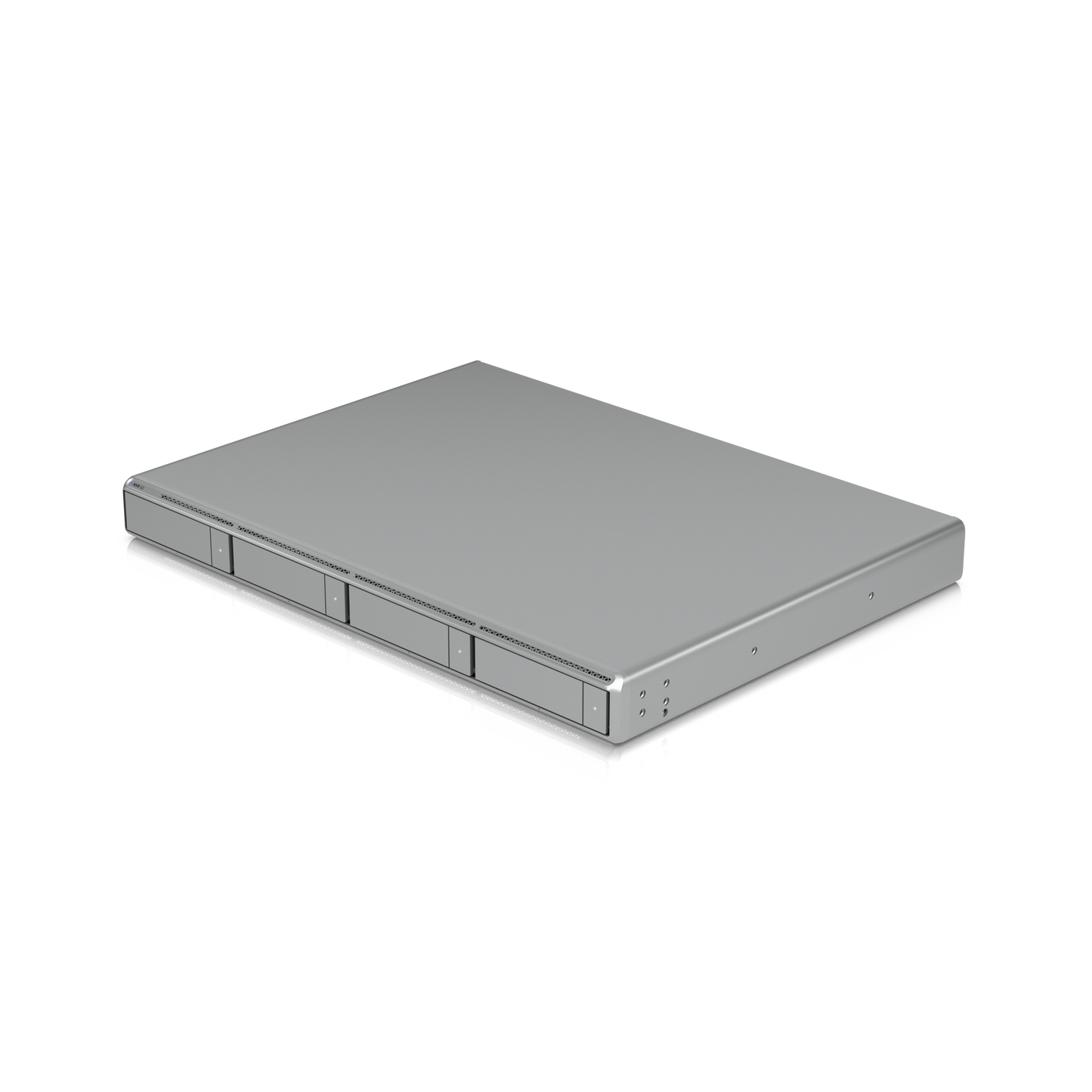
4-Bay UniFi Protect NVR with Built-In AI, 30× 4K, No Licence Fees.
1U UniFi Protect NVR with built-in AI event analytics, HDMI output, four 2.5”/3.5” HDD bays, and support for up to (30) 4K or (60) Full HD cameras.
View Installation GuideCustomer Satisfaction
Check out some recent reviews and customer experiences shared on Trustpilot
The Ubiquiti UNVR-G2 is the second-generation UniFi Network Video Recorder, built for businesses that want enterprise-grade video surveillance without per-camera licence fees or a cloud subscription. Housed in a compact 1U rackmount chassis, the UNVR-G2 records up to 30× 4K, 50× 2K or 60× Full HD cameras to four user-supplied 2.5"/3.5" drives, with RAID-based data protection for retention you can rely on. What sets Gen 2 apart is what's now built in: AI event analytics and an HDMI ViewPort are integrated into the recorder itself, so there's no separate AI Key or Protect Viewport to buy, rack and power. Add a 10G SFP+ uplink, 2.5 GbE RJ45, redundant power input and NDAA compliance, and the UNVR-G2 covers small-to-mid deployments that previously needed a stack of accessories.
Why choose the UNVR-G2?
- Up to 30× 4K cameras — 60 HD, 50 2K or 30 4K with the HDMI ViewPort disabled.
- Built-in AI event analytics — no separate AI Key required.
- Integrated HDMI ViewPort — up to 16 simultaneous 4K streams to a local display.
- Four 2.5"/3.5" bays — HDD or SSD, with RAID data protection.
- 10G SFP+ + 2.5 GbE RJ45 — headroom for dozens of high-bitrate streams.
- Redundant power — USP-RPS DC input alongside universal AC.
- Runs Protect, Access and Connect — one appliance, three workloads.
- NDAA compliant — eligible for US federal and government procurement.
- No recurring licence fees — buy the hardware, own the footage.
Record up to 30 4K cameras in a single rack unit
The UNVR-G2 handles 60 HD, 50 2K or 30 4K cameras when recording only. If you're driving a local monitor from the built-in HDMI ViewPort, that ceiling adjusts to 40 HD, 30 2K or 20 4K cameras, because the ViewPort shares the same compute budget as recording and analytics.
Driving it is an 8-core Qualcomm Kryo CPU built on 4 nm Arm Cortex technology — one 3.2 GHz Prime core, four 2.8 GHz Performance cores and three 2.0 GHz Efficiency cores — paired with 8 GB of memory. That's double the RAM of the first-generation UNVR, and it's what gives the G2 the headroom to run AI analytics across dozens of concurrent high-resolution streams without dropping frames.
AI event analytics, built in
Earlier UniFi Protect deployments needed a separate AI Key to unlock advanced detection. The UNVR-G2 brings that processing on-board. Analytics run locally on the recorder — footage and detection data never leave your network — feeding smart detections, richer event search and faster incident review directly in the UniFi Protect app.
HDMI ViewPort — a live video wall without extra hardware
The integrated HDMI output turns any monitor into a live view wall, displaying up to 16 simultaneous 4K camera streams. For a front desk, security office or retail back room, that removes the cost of a dedicated Protect Viewport device. Worth planning for: enabling the ViewPort reduces total camera capacity, so on installs approaching the 30× 4K ceiling, an external ViewPort is usually the better architecture.
Four drive bays with RAID data protection
Four 2.5"/3.5" bays accept standard SATA HDDs or SSDs — use surveillance-rated drives such as WD Purple or Seagate SkyHawk for 24/7 duty cycles. Drives are not included, so you can size storage to your retention policy rather than paying for capacity you don't need. A 75 W drive power budget supports a full complement of 3.5" mechanical drives, and RAID configuration protects recordings against a single drive failure.
Networking and power redundancy
A 10G SFP+ port and a 2.5 GbE RJ45 port mean the uplink won't bottleneck a camera fleet pushing high-bitrate 4K. On the power side, the internal 100 W universal AC PSU (100–240 V) is backed by a USP-RPS DC input, so a redundant power supply can keep the recorder online through a PSU failure — the difference between a gap in your footage and continuous coverage.
Note that the UNVR-G2 has no built-in PoE ports. Cameras connect through a separate PoE switch, which is the preferred architecture on professional installs: it gives you finer VLAN control, a larger PoE budget and a switch you can replace independently of the recorder.
One appliance for Protect, Access and Connect
Beyond video, the UNVR-G2 runs UniFi Access as a door-access controller for 150+ access hubs, and supports UniFi Connect for digital signage and displays. Three management workloads consolidate onto one rack appliance under a single UniFi OS console — fewer devices to power, patch and monitor.
Built for compliance
The UNVR-G2 is NDAA compliant, meeting US federal procurement requirements, and carries CE, FCC and IC certifications. The SGCC steel enclosure is rated for 0–40 °C and 5–95% non-condensing humidity.
Who It's For
- Retail and hospitality — multi-site chains needing local recording with no cloud fees.
- Warehouses and light industrial — 4K coverage of loading docks, yards and floor space.
- Schools and campuses — Protect plus Access on one appliance, NDAA compliant.
- Offices and coworking — a front-desk video wall via HDMI, no extra hardware.
- MSPs and integrators — one console for video, door access and signage.
Datasheet, Deployment & Features


Specification
| Overview | |
| Dimensions | 442.4 x 43.7 x 325 mm (17.4 x 1.7 x 12.8") |
| Managed Cameras | With built-in HDMI Viewport disabled: (60) HD, (50) 2K, (30) 4K With built-in HDMI Viewport in use: (40) HD, (30) 2K, (20) 4K |
| Max. Simultaneous Viewport Streams | 16 4K cameras |
| Managed Access Hubs | 150+ |
| Storage Capacity | (4) 2.5/3.5" drive bays |
| Data Protection | ✓ |
| Networking Interface | (1) 10G SFP+ port, (1) 2.5 GbE RJ45 port |
| Power Redundancy | ✓ |
| Form Factor | Rack Mount (1U) |
| Door Access Support | ✓ |
| Management Application | UniFi Protect, UniFi Access, UniFi Connect |
| Hardware | |
| Hard Drive Capacity | (4) 2.5/3.5" HDD / SSD support |
| Max. Power Budget for Drives | 75W |
| Max. Power Consumption | 100W |
| Power Method | (1) Universal AC input, 100–240V AC, 2A Max., 50/60 Hz; (1) USP-RPS DC input, 11.5V DC |
| Power Supply | AC/DC, Internal PSU, 100W |
| Processor | Qualcomm® Kryo™ CPU built on Arm® Cortex® technology (4 nm) (1) Prime core (3.2 GHz) (4) Performance cores (2.8 GHz) (3) Efficiency cores (2.0 GHz) |
| Memory | 8 GB |
| Management | Ethernet, Bluetooth |
| Weight | 6 kg (13.2 lb) |
| Enclosure Material | SGCC steel |
| Mount Material | SGCC steel |
| LEDs | |
| Ethernet | ✓ |
| SFP+ | ✓ |
| RPS | ✓ |
| HDD | ✓ |
| System | ✓ |
| Ambient Operating Temperature | 0 to 40° C (32 to 104° F) |
| Ambient Operating Humidity | 5 to 95% noncondensing |
| NDAA Compliant | ✓ |
| Certifications | CE, FCC, IC |
| Software | |
| Application Requirements | |
| UniFi Protect | Version 7.1.55 or later. |
| UniFi Access | Version 4.2.16 or later. |
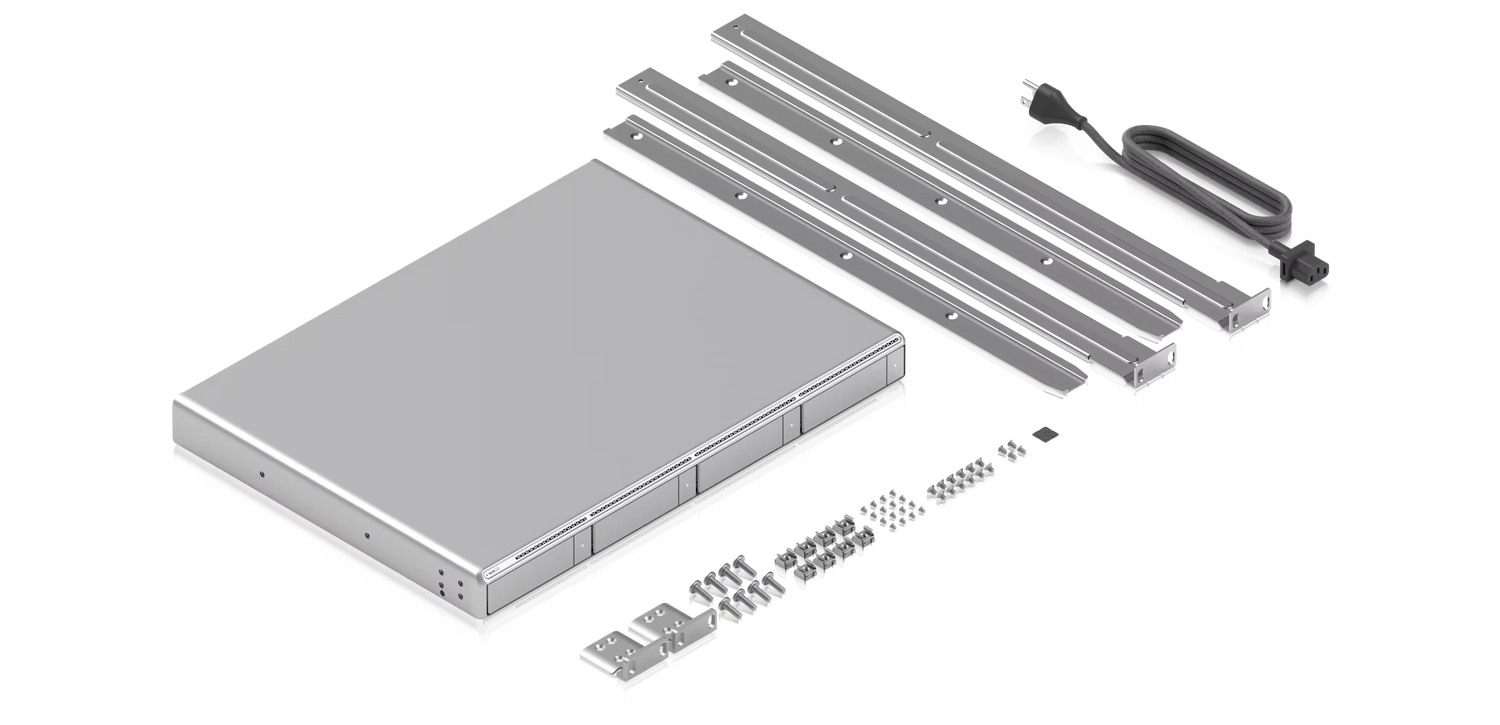
What's In The Box
Frequently Asked Questions
What’s the difference between Network Video Recorder G2 and Network Video Recorder?
Network Video Recorder G2 is designed for larger deployments, offering 4 drive bays for greater storage capacity, higher camera capacity, and integrated Edge AI.
Does the Network Video Recorder G2 support UniFi Access?
Yes. The Network Video Recorder G2 supports UniFi Access, allowing you to manage cameras and physical door access from a single device.
Can Network Video Recorder G2 be used to migrate an existing UniFi Protect setup?
Yes. The Network Video Recorder G2 supports migration from existing UniFi Protect deployments. The migration process may vary depending on system configuration, backup availability, and software version.
Learn more: Backups and Migration in UniFi, Migrating Cameras Between NVRs
How do AI capabilities differ between Network Video Recorder G2, AI Key, and AI Port?
The Network Video Recorder G2 includes built-in Edge AI functionality:
- Natural Language Search.
- Object Indexing in Find Anything.
- Person ReID.
- Search by Image.
Can I add an AI Key to Network Video Recorder G2?
Yes. For demanding deployments with busy cameras, adding one or more AI Keys is recommended to expand the processing capacity of the system. This will reduce Edge AI latency and ensure no events are missed.
AI Key also provides AI Summaries, speech transcription, and support for face and license plate recognition on G4 and G5 cameras.
Can I add AI Port to Network Video Recorder G2?
Yes. AI Port provides smart detections, face and license plate recognition on third party cameras as well as legacy UniFi cameras.
Learn more: Protect AI Port FAQs
Does the Network Video Recorder G2 include an integrated Viewport for Protect?
Yes. The Network Video Recorder G2 includes an integrated Viewport via its HDMI port. You can configure a multi-view in Protect and assign it to the Viewport for live monitoring of selected cameras.
How does the Network Video Recorder G2 ensure smooth performance with multiple 4K cameras?
The Network Video Recorder G2 features 10G SFP+ and 2.5 GbE RJ45 connectivity to handle high data throughput, ensuring smooth recording and multi-user playback. It supports deployments up to (60) HD, (50) 2K, or (30) 4K cameras, or up to (40) HD, (30) 2K, or (20) 4K when using the built-in HDMI viewport.
Are rack rails required for mounting Network Video Recorder G2?
For safe installation, the included rack rails or UniFi Sliding Rack Rails are recommended. While the mounting ears can support the device itself, the total weight increases significantly when hard drives are installed. For installations in 2-post racks that do not support rails, use a rack shelf to provide additional support from below.
For mounting instructions, see the Installation Guide.
Buying for your business? Get special pricing and bulk discounts! Enquire about this product including its specification, customisation options and stock availability.
- Choosing a selection results in a full page refresh.
- Opens in a new window.